Requests
Under the User tab, there are four sub-tabs: All, Approved, Pending, and Denied. Each tab displays users based on their status —approved, denied, pending, or all users.

All
- In the All Users sub-tab, all user requests are displayed.

- The admin can approve or deny each request at their discretion.
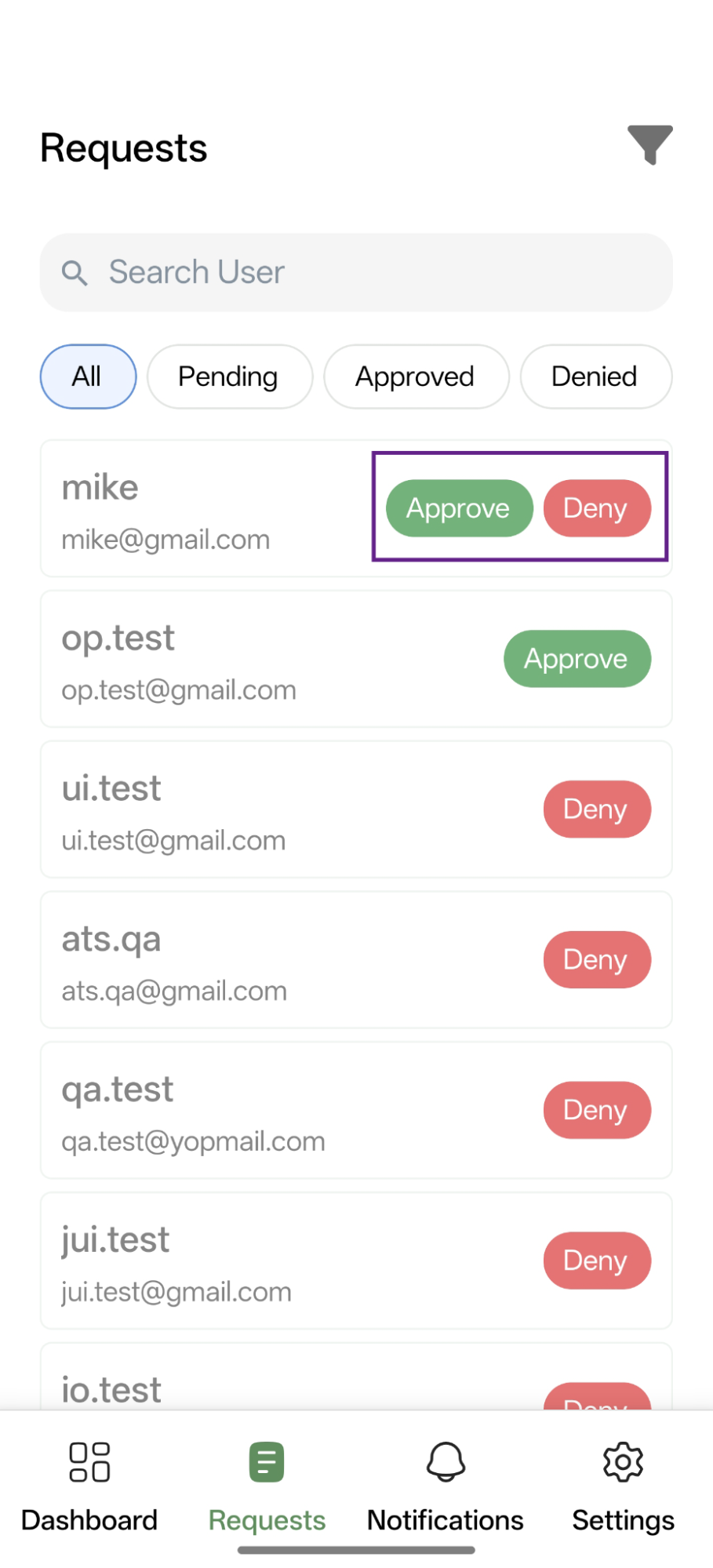
- A user can be directly searched for by using the provided search bar.

- A filter is also available, allowing the admin to view the data based on their requirements.

Pending
- In the Pending sub-tab, only the list of pending users will be displayed.
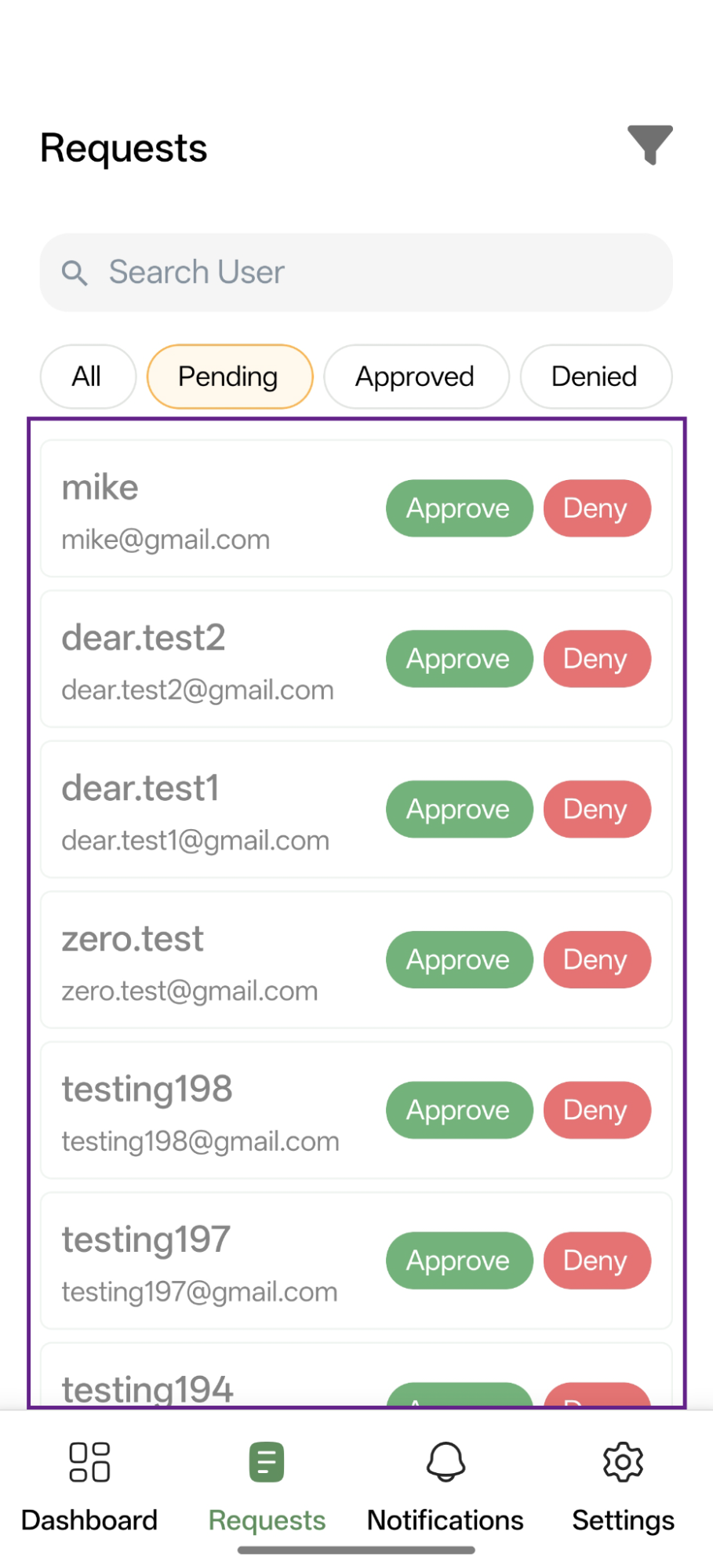
- The admin can directly approve or reject requests from the Actions column.

- The admin can view a specific user’s details by clicking on the user and then decide whether to approve or deny the request.

Approved
- In the Approved sub-tab, only the list of approved users will be displayed.

- Approved users can also be denied access by clicking the deny icon, even if their request was initially approved.

Denied
- In the Denied sub-tab, only the list of denied users will be displayed.

- Denied users can also be granted access by clicking the approve icon, even if their request was initially rejected.
