How to Connect
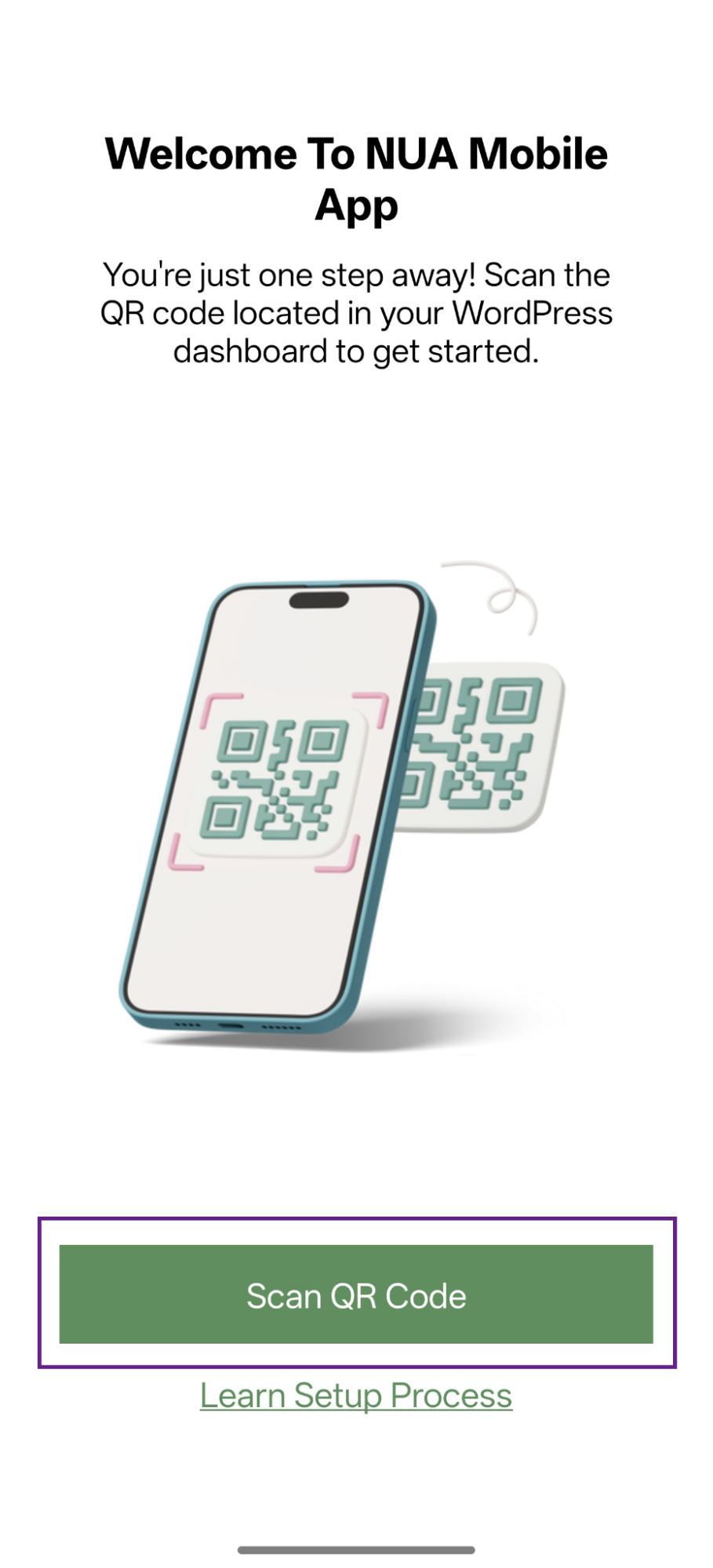
- Start by opening the mobile app. After it loads, tap the Scan QR Code button.
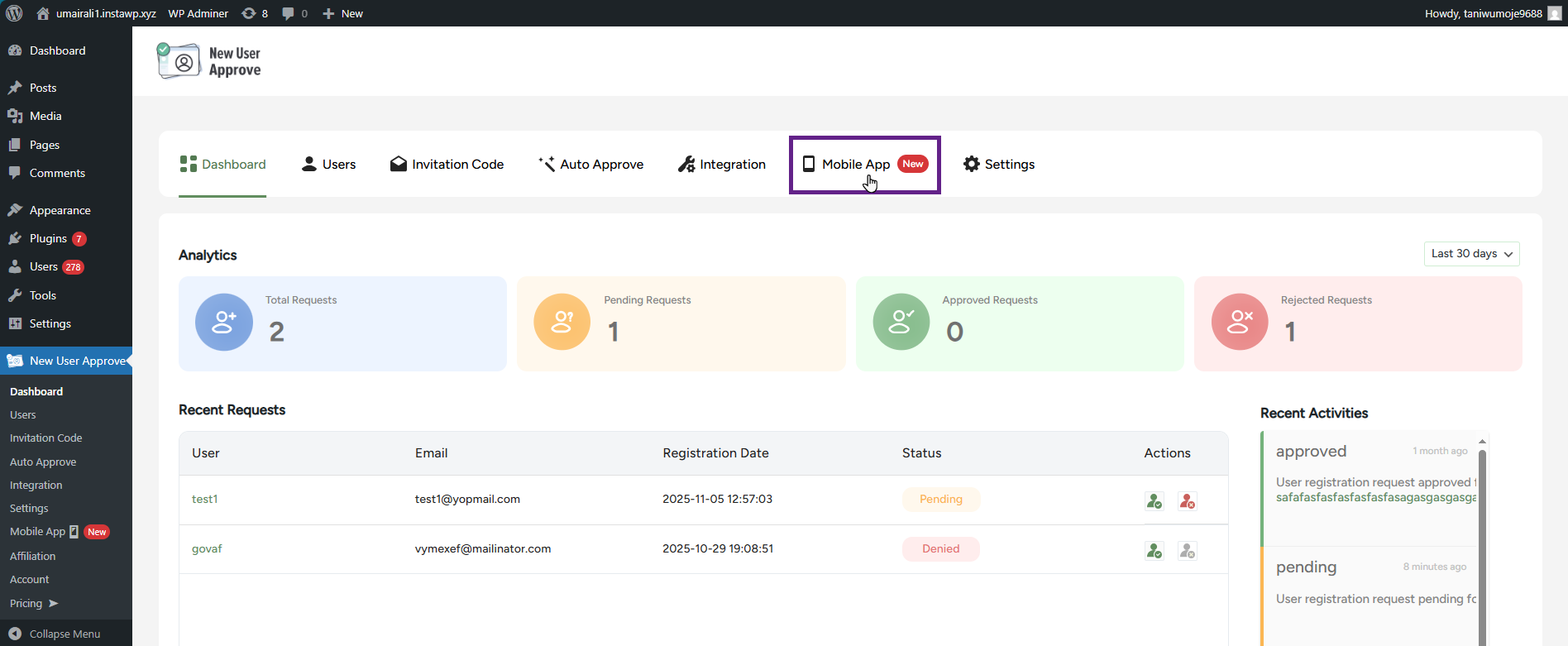
- Next, go to your site, open the New User Approve Dashboard, and navigate to the Mobile App section.
- The admin can download the New User Approve mobile app directly from the Mobile App section by clicking the Android or iOS download link.
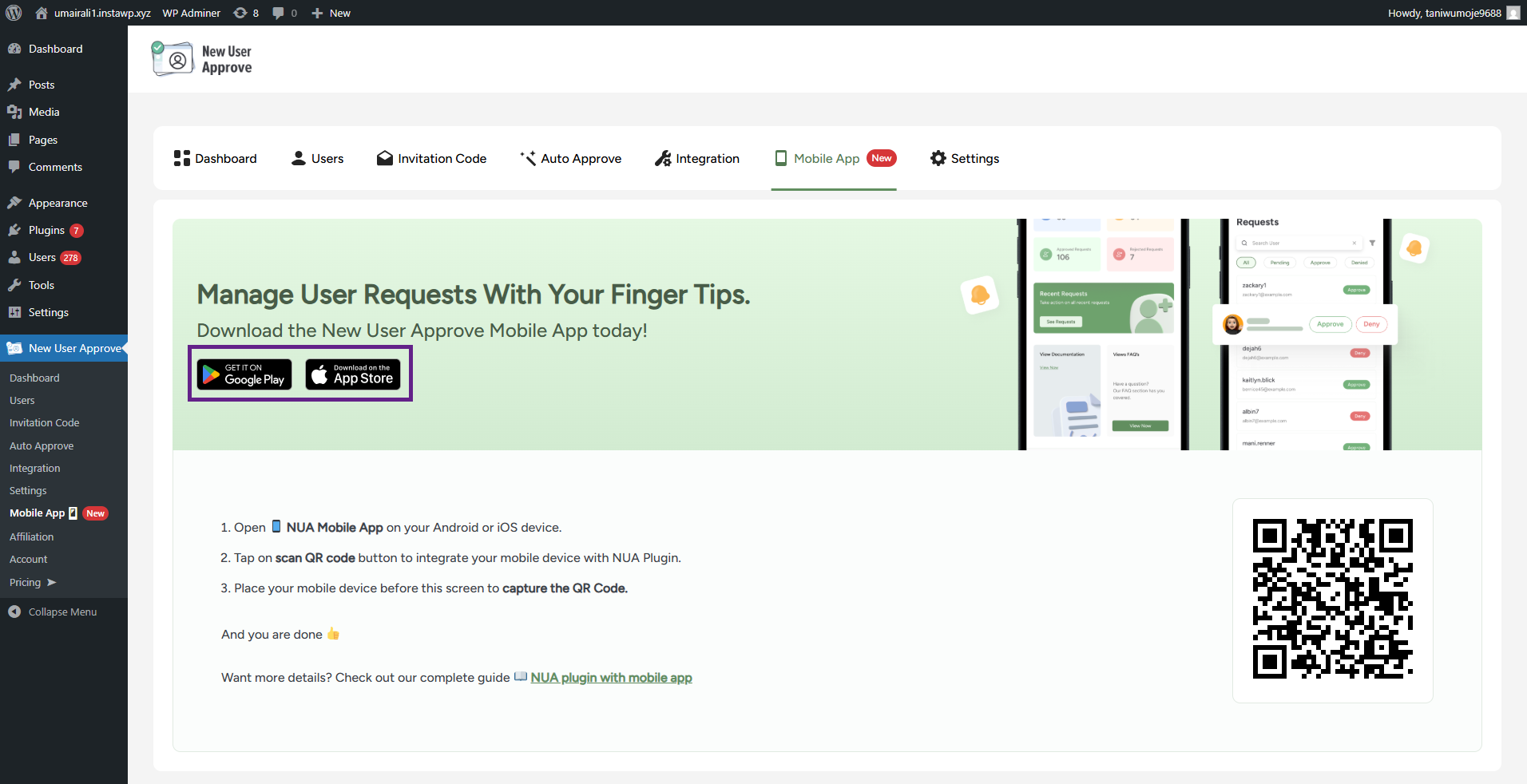
- Once on the Mobile App section, use your mobile app to scan the QR code.
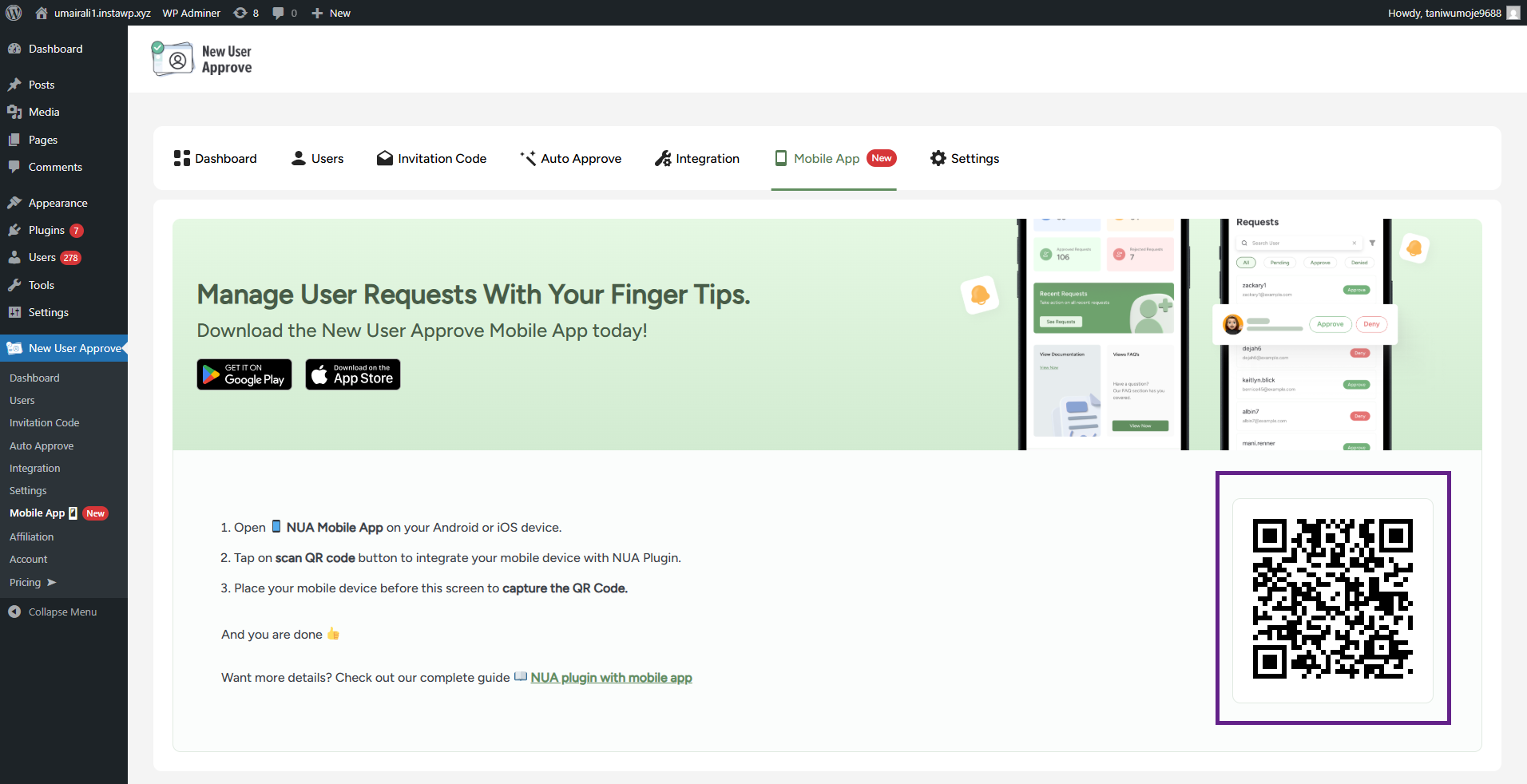
- Now, your New User Approve app is connected to your site.