Registration Notification
- Navigate to the Registration Notification sub-tab.
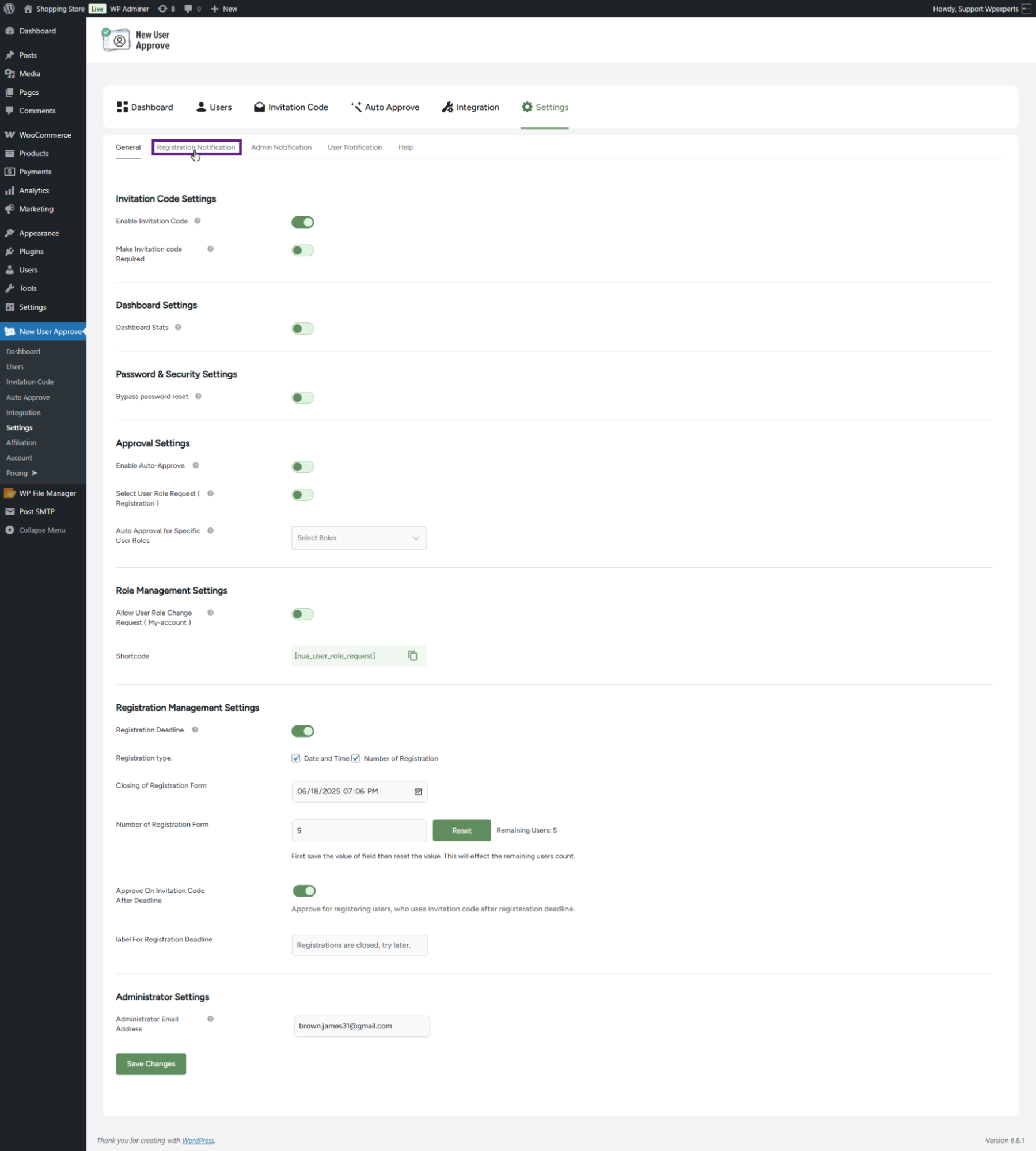
- Under the Registration Notification sub-tab, the admin can customize the registration, pending, and rejection notifications.

Welcome Message
- The Welcome Message is shown to users visiting the site for registration or login. It can be used to provide guidance or important information about the registration process.
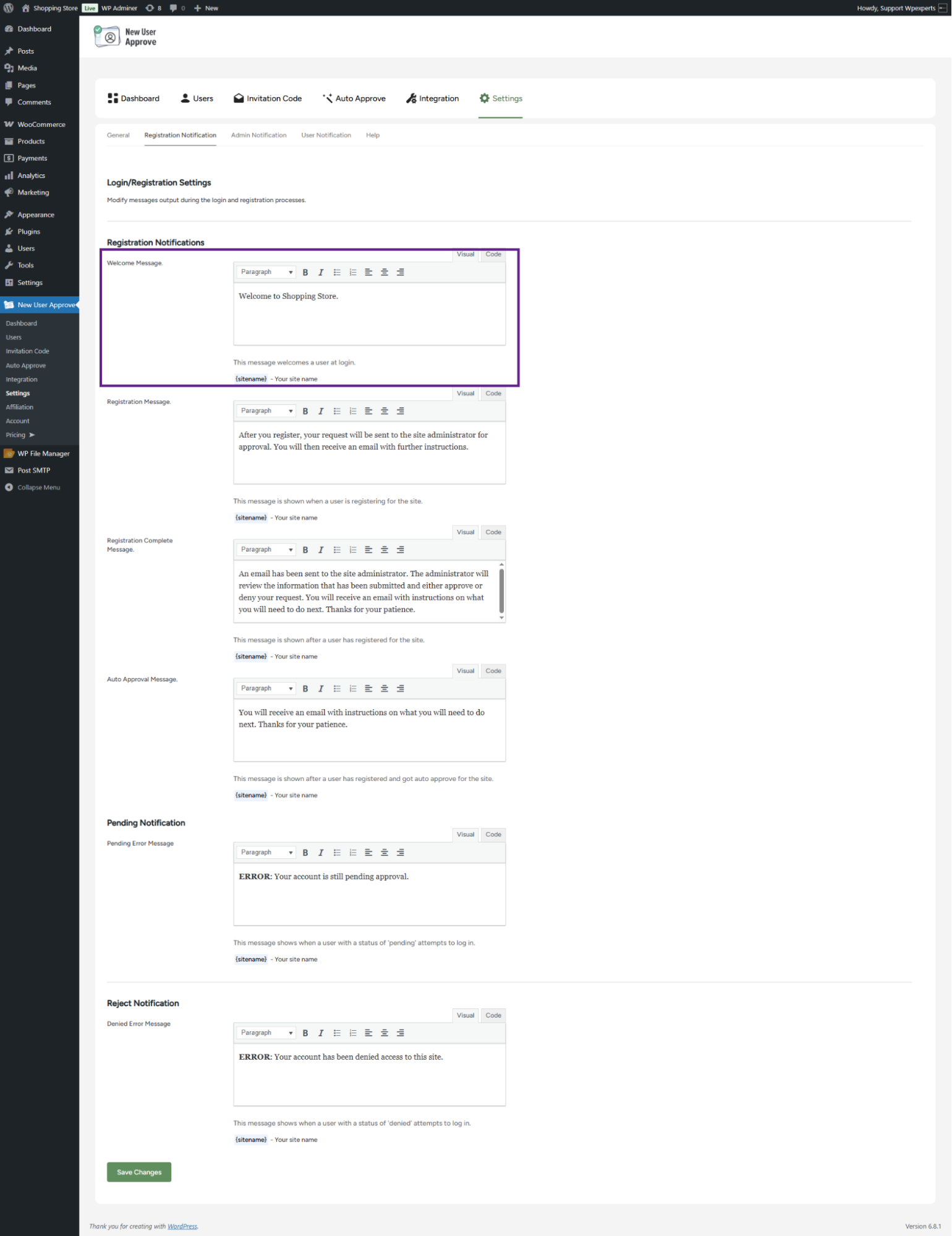
- Click on the Save Changes button.
Front-End Impact
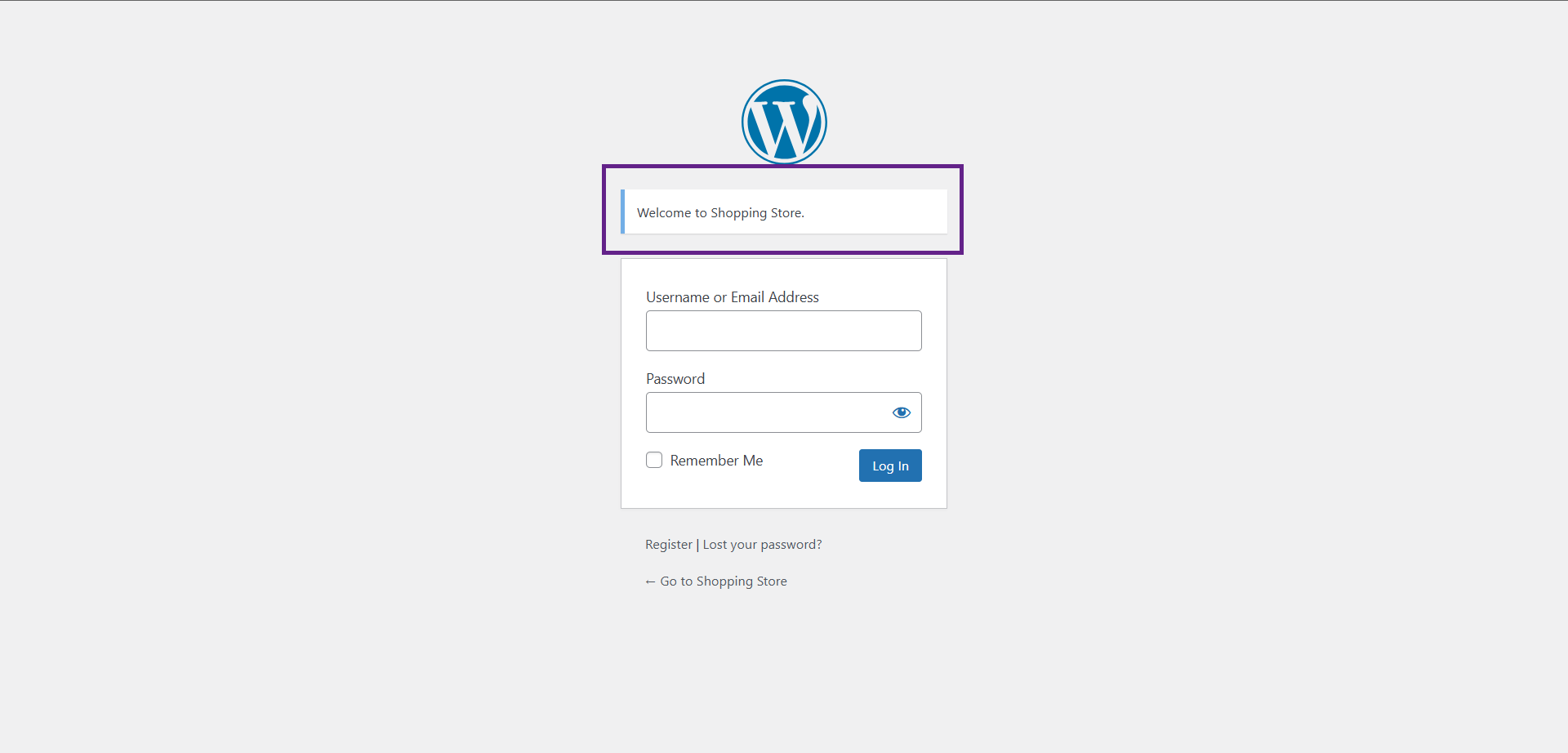
- Go to the login page.
- As shown, the system displays the welcome message.
Registration Message
- The Registration Message appears when the user accesses the registration page. It can be used to provide guidance and details about the registration process.

- Click on the Save Changes button.
Front-End Impact
- Go to the website’s registration page.
- As you can see, the registration message is displayed.

Registration Complete Message
- The Registration Complete Message is shown to the user after they have successfully registered on the site.
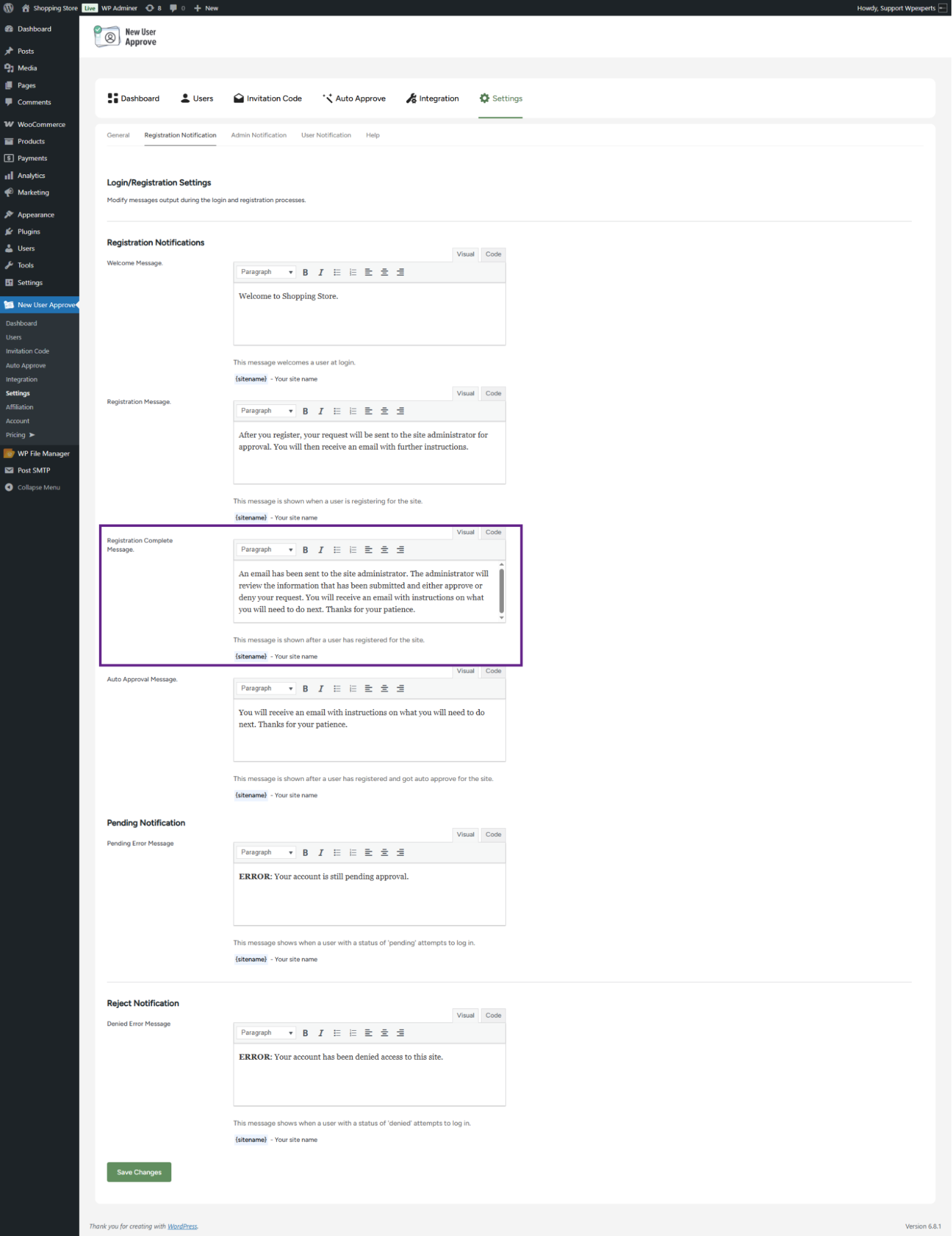
- Click on the Save Changes button.
Front-End Impact
- Go to the registration page.
- Enter the required credentials and then click on the Register button.

- Once the Register button is clicked, the Registration Complete message will appear.

Auto Approval Message
- The admin can set a message that appears when a registration is auto-approved.
Note: This option depends on the Enable Invitation Code setting in the General settings. To use the Approve on Invitation Code After Deadline feature, ensure that the invitation code option is enabled.

- Click the Save Changes button to apply the settings.
Front-End Impact
- Go to the registration page.
- Enter the required credentials and then click on the Register button.

- Once the Register button is clicked, the Auto Approval message will appear.

Pending Error Message
- The Pending Error Message is displayed to the user when the user has applied for registration on the site and their request has not been approved yet. If the user tries to log in to the website, then this message can be used to display that their registration request is still pending.
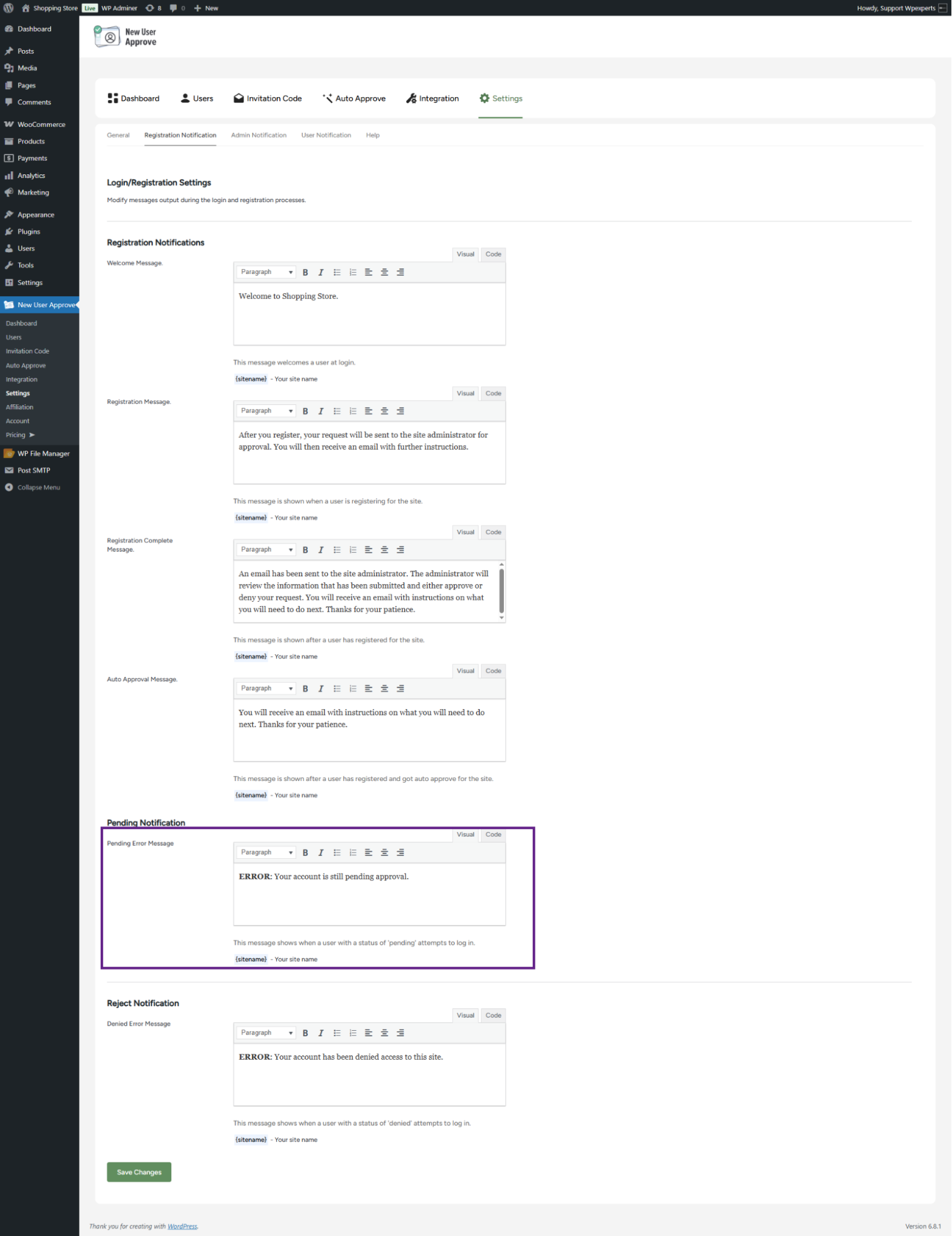
- Click the Save Changes button to apply the settings.
Front-End Impact
- Go to the registration page.
- Enter the required credentials and then click on the Register button.

- If the user attempts to log in while their request is still pending, a pending error message will be displayed.

Denied Error Message
- The Denied Error Message allows a custom prompt to be shown to users whose registration requests have been denied. If a user whose request was denied attempts to log in, the specified message will be displayed.
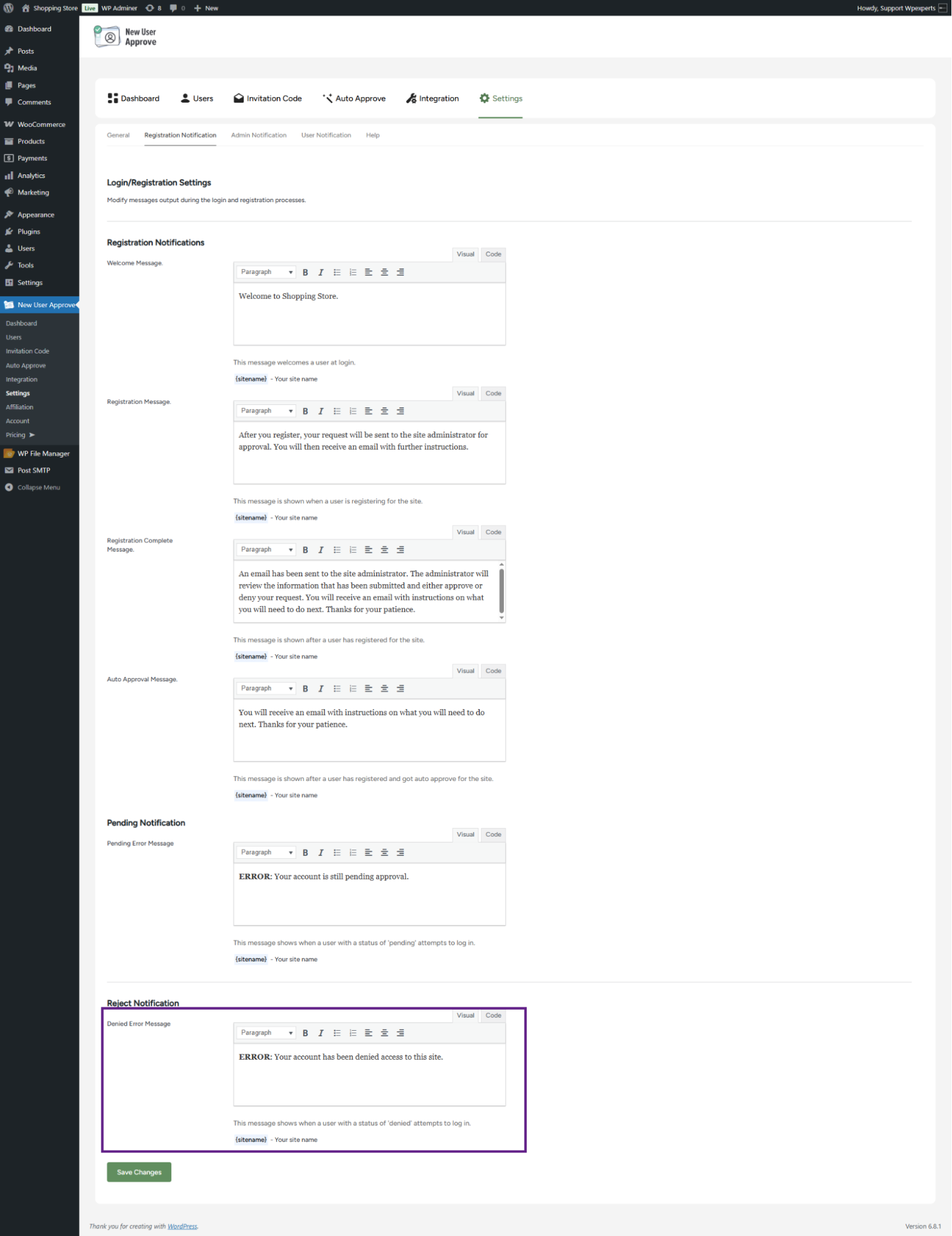
- Click the Save Changes button to apply the settings.
Front-End Impact
- Go to the registration page.
- Enter the required credentials and then click on the Register button.
- If the user’s request is denied and they attempt to log in, the denied error message will be displayed.