
WordPress is worth it in 2027 for content sites, complex stores, and any project where you want to own your files and data. Skip it for simple one-page sites, or if nobody on your team will handle updates.
Below is the research behind that answer, and a way to decide for your own site.
What Does WordPress Look Like in 2027?
WordPress still leads every other CMS by a wide margin. Its share is slipping, though.
- Share of the web: about 40% of all websites as of October 2026. It was near 43% at its peak.
- Share of CMS sites: roughly 59% of sites that use a known CMS (W3Techs).
- Closest rivals: Shopify at about 5.4% and Wix at about 4.2%.
- Core releases: version 7.0 shipped in May 2026 with built-in AI connectors. Version 7.2 is planned for December 2026 with a Secrets API and more block tools.
New website creation on WordPress has slowed in some reports. The absolute numbers are still huge.
So, WordPress isn’t collapsing for sure.
Is WordPress Worth It in 2027: How It Works And What It Costs
WordPress runs on PHP and MySQL. You can self-host it or use a managed host. The software is free under the GPL license.
What you need to understand is the real cost. It includes hosting, premium plugins, themes, and maintenance. A basic website on WordPress can stay under a few hundred dollars a year. A business site with plugins, security tools, and regular updates often reaches several thousand.
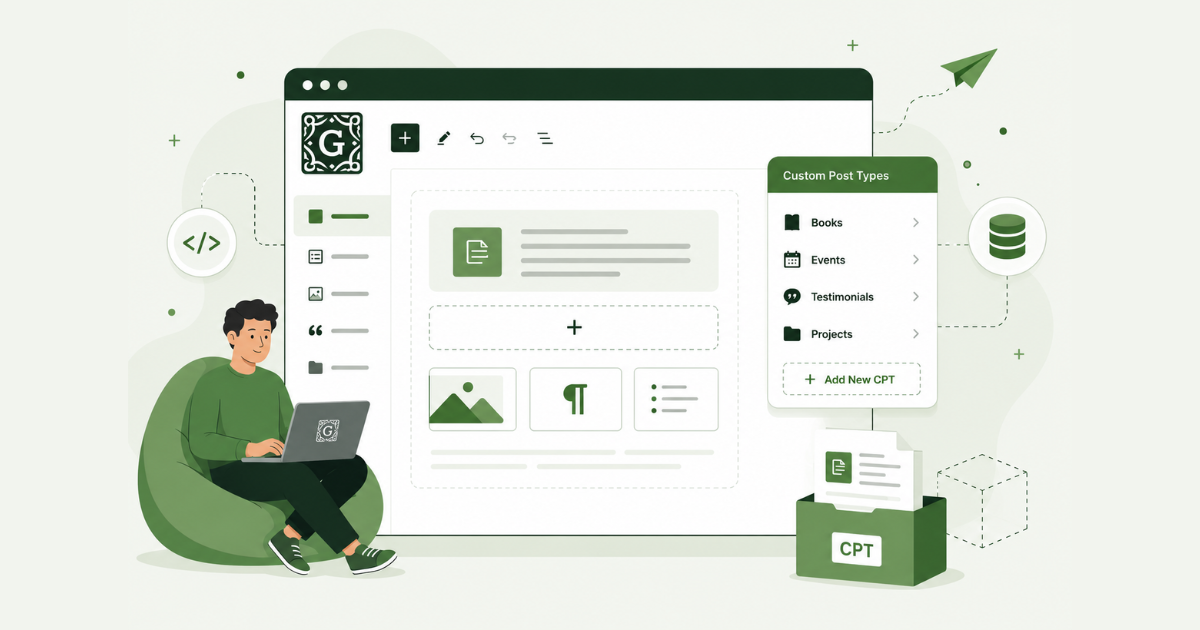
The block editor is the default for pages and posts. It covers most content needs. Custom post types and taxonomies still give WordPress an edge on complex sites.
What about WordPress security in 2027?
Most reported issues come from plugins and themes. WordPress Core has fewer serious problems.
The October 2026 PHP vulnerabilities (called PHP2Shell) hit the language WordPress runs on. Managed hosts that patched fast protected their customers. Sites on old PHP or neglected plugins carried the most risk.
AI tools now sit inside WordPress through official connectors and third-party options. They help with content and some admin work.
You still need updates and basic security habits.
Why Do People Still Pick WordPress?
Ownership is the main reason why WordPress is still worth it in 2027. Here’s what else keeps people on it:
- You control the files and database. You can move to another host and keep everything.
- Content teams get good tools. Multiple users, posts, pages, and custom types work together.
- SEO is easy to handle. Titles, sitemaps, and redirects work out of the box or with a plugin.
- WooCommerce fits custom stores. Membership and learning plugins cover other common needs.
- The talent pool is the largest. Finding a WordPress developer is easier than finding one for a newer stack.
- Switching costs a lot. For an established site, content, URLs, and editorial habits are hard to move.
Why Do Some People Leave WordPress?
The complaints repeat. Most of them come down to maintenance.
- Maintenance. Plugins, themes, and PHP all need updates. Miss a few and the site can break or get hacked.
- Plugin security. Most of the risk sits in the plugin layer. The PHP2Shell issues showed how the language underneath can add sudden pressure.
- Performance. A clean install on good hosting can score well. Add page builders, extra scripts, and unused plugins and it gets slow.
- Total cost. Premium plugins, security tools, backups, and developer time push yearly spend above what “free” suggests.
- Simpler options. Some developers say static or AI-assisted setups load faster and need less work for simple sites.
- Slower growth. New site creation looks softer in some reports. That feeds the “leave now” argument, even with millions of sites still running.
Is WordPress Worth It in 2027: Who Should Use WordPress in 2027?
Match your situation to this table.
| Your situation | Verdict | Why |
| Blog, publisher, or company site with regular posts and several editors | Use WordPress | Strong content tools and a big talent pool |
| Store with custom product flows or memberships | Use WordPress | The plugin ecosystem covers complex cases better than most SaaS |
| Simple online store | Look at Shopify first | Payments, inventory, and marketing work with little setup |
| One-page or simple marketing site | Skip WordPress | AI builders or static tools cost less time and money |
| Team that won’t do updates or pay someone who will | Skip WordPress | Neglect is where most security and breakage problems start |
| Existing WordPress site | Stay, unless it’s already hard to maintain | Migration usually costs more than fixing the current setup |
Moving content, fixing redirects, and rebuilding features take real time. Weigh that before you migrate.
How does WordPress compare with the WordPress alternatives?
No single WordPress alternative wins every case. Pick the one that fits the job.
| Tool | Best for | Trade-off |
| Shopify | Straightforward online stores | Monthly fees, and leaving later takes work |
| Wix and Squarespace | Brochure sites and portfolios | Limited design control. You rent the platform. |
| Webflow | Design-heavy sites | Content stays in their system. Export isn’t full ownership. |
| Astro and other static tools | Fast marketing sites and blogs that rarely change | Needs more technical skill |
| Next.js with a headless CMS | Developer-led projects that need full control | Higher setup cost. Maintenance still exists. |
| Headless WordPress | Teams that like the WordPress admin but want a faster front end | More complexity |
Simple sites often cost less outside WordPress. Complex content or store sites usually stay cheaper and more flexible inside it.
Is WordPress Worth it in 2027: What are people saying on Twitter (X)?
Opinions split. Here are examples from late 2026.
People in favor of WordPress still worth it
Pavel Ciorici, who has built WordPress products for years, posted on 22 October 2026:
“Announcing the death of WordPress every morning is like trashing your ex from 10 years ago. … WordPress still runs ~40% of it, and every day ordinary people launch businesses on it who don’t know what Next.js is and never will. … AI is the best thing that’s happened to WordPress in years.”
Nazim Husain posted after the security news:
“Leaving WordPress doesn’t make you secure. It just changes what you patch. Next.js shipped critical RCE fixes on Oct 14. Every stack has a patch cycle. What matters is who owns it after launch.”
People leaving or not in favor of WordPress still worth it
Matt Paulson posted earlier in 2026:
“WordPress has at most 18 months left. You won’t need a basic content management system anymore because vibe-coding tools will create a custom CMS specific to your needs.”
Kamil Baranek wrote in October:
“I give WordPress a year. Two, tops. Why wrestle with plugins when you can vibe-code a CMS that does exactly what you need?”
James Welbes replied in the Ciorici thread:
“WordPress was 43% not long ago and now it’s 39%. … It’s not dead but it’s definitely declining and will continue to do so.”
Stuart McHenry shared his own result:
“moving away from WordPress is the best ever! Started this over a year ago and haven’t had a single hack or broken website since.”
Long-time users see value and better AI tools. Others see fewer new sites and want something lighter. The October security events pushed more people toward the critical side.
Is WordPress Worth It in 2027: How Do You Decide For Your Project?
Follow these steps in order.
- List the features the site must have. Check whether WordPress plugins already cover them. If not, you’d be building from scratch.
- Add up the real yearly cost. Count hosting, paid plugins, security tools, backups, and time spent on updates and fixes. Compare that to the cost of building and running an alternative.
- Look at your team. Does anyone know WordPress? Will someone handle updates every month? If the answer is no and you won’t pay for help, the risk goes up.
- Test a lighter tool for a new, simple site. Try a static or AI builder first. See how long it takes to get a working version.
- Score an existing site on four things. Check speed, security, how often content changes, and how hard a move would be. If three or more scores are good, improving the current setup usually costs less than a full move.
- Set up the basics if you stay. Use a managed host that handles PHP and core updates. Keep the plugin list short. Turn on automatic updates where it’s safe.
On membership or community sites, New User Approve lets you control who gets access. Limiting new accounts closes one common attack path.
Where is WordPress Heading in 2027?
- The installed base stays large. Tens of millions of sites keep running, even with slower new-site growth.
- AI features keep growing. Official MCP/Claude connectors and the Abilities API make daily work easier for non-developers.
- Security stays a constant job. Teams that treat updates as routine have fewer problems than teams that ignore them.
- WordPress gets more specialized. It fits content sites, custom stores, and ownership-focused projects best. Simple sites keep moving to lighter tools.
- Core development continues. Releases come on a regular schedule, and the plugin and agency community is still active.
Final verdict on Is WordPress Still Worth It?
So, is WordPress worth it in 2027?
Yes, if you need ownership, flexible content tools, or a complex store, and someone will keep it updated. Before you decide, check three things:
- the features you need,
- the real yearly cost, and
- whether your team can maintain the site.
Those tell you more than any headline saying WordPress is dead or unstoppable.
FAQs About Is WordPress Worth It in 2027
Is WordPress dying in 2027?
No. Share has dropped from earlier highs, but WordPress still runs about 40% of the web. Core keeps shipping new versions.
Is WordPress still good for SEO?
Yes. Clean URLs, sitemaps, and solid plugins still work well. Performance depends on how you build and host the site.
Should I migrate after the 2026 PHP security issues?
Only if your site is already hard to maintain or runs on outdated software. Patch first. Then decide based on total cost and the features you need.
Is WooCommerce still worth using?
For stores with custom flows or deep plugin needs, yes. For a simple product catalog, Shopify is often faster to run.
Does WordPress work with AI tools now?
Yes. Version 7.0 added official connectors. Third-party tools also link WordPress to common AI models for content and admin tasks.
What does a real WordPress site cost each year?
A basic site can stay under a few hundred dollars. A business site with plugins, security, and maintenance often reaches several thousand. The “free” label only covers the core code.