WordPress 7.0 AI features launch on May 20, 2026. This WordPress update adds three native tools: the Connectors API, the WP AI Client, and the Abilities API.
These features let installed plugins run language model requests directly through your OpenAI or Anthropic API keys. You pay for every token used by these background processes.
If you don’t set hard spending limits in your external accounts, an unmonitored loop between plugins can drain your budget in hours. Security risks also change.
The Abilities API lets site agents execute plugin actions based on text input. Malicious text in a public comment section can trigger destructive database changes. Admins must audit plugin permissions before the update completes.
WordPress 7.0 Is Live. Here’s What Actually Shipped
WordPress 7.0 launched May 20, 2026. Before you update, you need to know one thing: the feature most people were waiting for did not ship.
Real-time multi-user editing was pulled from the release on May 8, 2026. It had been on the roadmap for months. Pre-release coverage made it the headline feature. Then it was quietly removed during RC testing. The earliest realistic return is WordPress 7.3, sometime in 2027.
That matters because a lot of guides written before the final release still list it as live. It is not.
Here is what actually shipped:
| Shipped in WordPress 7.0 | Not in WordPress 7.0 |
| WP AI Client | Real-time multi-user co-editing |
| Connectors API | Full Phase 3 collaboration |
| Abilities API | Advanced Connectors filtering |
| DataViews admin interface | Multilingual support (Phase 4) |
| Visual revision comparison | – |
| Fragment-level Notes | – |
| PHP-only block registration | – |
| Iframe block editor | – |
| Command palette (Cmd/Ctrl + K) | – |
| Client-side image processing | – |
| New 2026 default theme | – |
WordPress 7.0 AI features are real and they are significant. The collaboration story is partial. The admin redesign is the most visible change for most users.
The sections below cover each of these in detail, starting with what your server needs before you touch the update button.
What is Included in WordPress 7.0 AI Features?
Most coverage around WordPress 7.0 AI features focuses on headlines like AI in WordPress without explaining what actually shipped inside Core. The release does not include a universal AI assistant or a fully autonomous site agent out of the box.
It adds infrastructure APIs that standardize how plugins connect to large language models and expose AI-powered functionality.
Three APIs matter:
- Connectors API
- WP AI Client
- Abilities API
Together, they change how WordPress AI plugins are built, maintained, and discovered.
In WordPress 7.0, structured data becomes more important than traditional keyword optimization alone. AI systems like ChatGPT, Claude, Google Gemini, and Perplexity increasingly rely on semantic retrieval, typed outputs, and machine-readable schemas to understand and cite web content accurately.
This shift makes standards like Schema.org, JSON Schema, and OpenAPI critical parts of modern WordPress architecture.
Instead of simply indexing text, AI systems now evaluate:
- entity relationships
- structured metadata
- function definitions
- vector retrieval compatibility
- semantic context
That changes how plugins and websites should be built.
For example, AI-ready WordPress plugins can now expose:
- typed API responses
- structured product attributes
- function-calling endpoints
- semantic taxonomies
- orchestration-friendly outputs
This is especially important for WooCommerce stores, automation plugins, and AI workflow systems that depend on reliable machine-readable data.
In practical terms, schema is becoming the infrastructure layer for:
- agent orchestration
- retrieval-augmented generation (RAG)
- AI search visibility
- semantic indexing
- automated reasoning systems
Traditional SEO focused on helping Google crawl pages. WordPress 7.0 signals a shift toward helping AI systems interpret, retrieve, and operationalize website data.
The Connectors API
The WordPress Connectors API centralizes provider configuration inside the WordPress admin.
Site owners can:
- add their OpenAI, Anthropic, or Google Gemini credentials once
- choose a default provider
- share that configuration across multiple plugins
The practical impact is huge for WordPress plugin developers.
Before WordPress 7.0, every AI plugin needed its own:
- API key settings page
- credential storage logic
- provider validation flow
- multisite compatibility handling
That duplication disappears once plugins inherit provider settings directly from Core.
A plugin no longer needs to ask: “Paste your OpenAI key here.”
WordPress handles the provider connection globally.
WP AI Client
The WP AI Client gives developers a provider-agnostic API layer for model requests.
Instead of maintaining separate SDK integrations for:
- OpenAI
- Anthropic
- Gemini
developers can call a unified interface through WordPress itself.
That matters because provider churn became a serious maintenance problem during 2024 and 2025. Every new model release forced plugin authors to:
- update SDKs
- rewrite request formatting
- patch compatibility issues
- maintain separate retry logic
The WP AI Client reduces most of that operational overhead.
If a site owner changes providers from Claude to GPT inside the Connectors settings, plugin functionality continues working without major code changes.
For agencies managing dozens of client sites, that removes a large amount of maintenance friction.
Abilities API
The WordPress Abilities API changes how plugins expose functionality to AI systems. An ability is a registered function with:
- typed input schemas
- typed output schemas
- capability annotations
- execution rules
Plugins can define whether an ability is:
- read-only
- idempotent
- destructive
This creates a standardized way for AI agents to interact with plugins programmatically.
For example, an SEO plugin can register abilities such as:
- analyze_page_seo
- suggest_internal_links
A WooCommerce plugin can expose:
- order lookup
- inventory checks
- fulfillment workflows
The important change is architectural.
Plugins stop operating as isolated dashboards inside wp-admin. They become callable systems that other AI workflows can discover and use automatically.
Why WordPress 7.0 AI Features Change the Plugin Economy
The biggest impact of WordPress 7.0 AI features is not technical. It is economic.
A large part of the AI plugin market between 2024 and 2025 depended on solving infrastructure problems around:
- API connectivity
- provider management
- inference billing
- key storage
- model switching
WordPress Core now handles most of those tasks directly. That changes what plugin developers can realistically charge for.
The Decline of “Bring Your Own Key” AI Plugins
A huge number of early WordPress AI plugins followed the same business model.
The workflow looked like this:
- User pasted an OpenAI or Anthropic API key
- Plugin proxied requests to the model provider
- Plugin added markup, usage limits, or subscriptions
- Site owner paid both the provider and the plugin vendor
That model worked when WordPress had no native AI infrastructure.
The Connectors API changes that equation because provider configuration now lives inside WordPress itself. Plugins inherit the connection automatically through the WP AI Client.
For many plugin categories, the infrastructure layer becomes difficult to monetize.
Site owners start asking a harder question: Why pay for another subscription for functionality WordPress Core already includes?
That pressure affects:
- AI writing plugins
- prompt wrapper plugins
- provider-switching plugins
- lightweight chatbot plugins
- API connector plugins
Especially products whose main value was “easy OpenAI integration.”
What Plugin Developers No Longer Need to Build
Before WordPress 7.0, AI plugin development included a large amount of maintenance work unrelated to the actual product.
Developers had to manage:
- encrypted API key storage
- provider SDK updates
- request retries
- billing edge cases
- rate-limit handling
- multisite compatibility
- failed inference recovery
Those systems consumed engineering time continuously.
The WP AI Client removes much of that duplication through a shared provider abstraction layer. The plugin focuses more on:
- prompts
- workflows
- automation logic
- validation
- integrations
That shortens development cycles for smaller teams and lowers the barrier for competitors entering the market.
Pricing Pressure Starts Immediately
The first plugin category affected will probably be low-complexity AI utilities.
Examples include:
- “generate blog intro” plugins
- AI meta description tools
- simple OpenAI wrappers
- generic AI assistants for wp-admin
Those products become easier to replace because WordPress standardizes the underlying infrastructure.
Margins shrink when the platform absorbs the expensive setup work.
This pattern already happened before in WordPress history:
- contact forms
- SMTP integrations
- caching layers
- page builders
- SEO metadata management
Core absorbs common infrastructure over time. Plugins survive by moving higher up the stack.
The New Competitive Layer
Plugin developers still have room to build valuable products. The focus changes.
The stronger opportunities now sit around:
- vertical specialization
- workflow automation
- cross-plugin orchestration
- validation systems
- human review pipelines
- structured output generation
- agent coordination
A WooCommerce automation plugin still has value.
A legal compliance workflow still has value.
A publishing workflow with editorial safeguards still has value.
Generic “AI access” becomes harder to defend as a standalone product category inside the new WordPress AI ecosystem.
Schema Is the New SEO in WordPress 7.0 AI Features
The schema layer becomes a major ranking signal for internal AI orchestration.
Poorly structured abilities become difficult for agents to interpret reliably, which reduces invocation frequency.
Why Vague Ability Descriptions Fail
Weak descriptions create ambiguity for AI systems. For example:
Bad:
“Returns user information”
Better:
“Returns the current logged-in user’s email, role, display name, and registered capabilities.”
The second example gives the agent:
- exact output expectations
- field-level clarity
- retrieval precision
- execution confidence
The same principle applies to:
- WooCommerce data
- SEO analysis
- CRM actions
- automation workflows
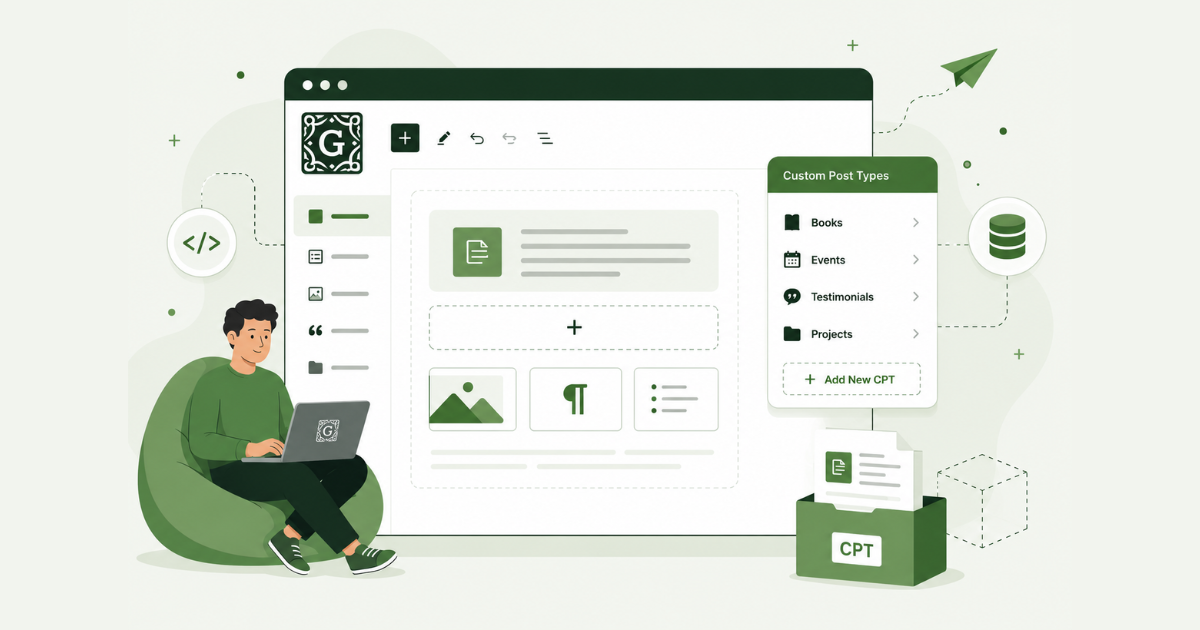
- custom post types
This shift makes standards like Schema.org, JSON Schema, and OpenAPI critical parts of modern WordPress architecture.
Instead of simply indexing text, AI systems now evaluate:
- entity relationships
- structured metadata
- function definitions
- vector retrieval compatibility
- semantic context
That changes how plugins and websites should be built.
For example, AI-ready WordPress plugins can now expose:
- typed API responses
- structured product attributes
- function-calling endpoints
- semantic taxonomies
- orchestration-friendly outputs
In practical terms, schema is becoming the infrastructure layer for:
- agent orchestration
- retrieval-augmented generation (RAG)
- AI search visibility
- semantic indexing
- automated reasoning systems
Traditional SEO focused on helping Google crawl pages. WordPress 7.0 AI features signal a shift toward helping AI systems interpret, retrieve, and operationalize website data.
How to Optimize Plugin Abilities for Agent Selection
Plugin developers should treat ability registration as part of their discoverability strategy. Several implementation details matter immediately.
Clear naming
Use direct ability names:
- analyze_page_seo
- get_pending_orders
- generate_followup_email
Avoid vague names:
- assistant_tool
- content_helper
- workflow_action
Narrow scopes
Abilities should perform one clearly defined action.
Smaller scopes improve:
- execution reliability
- permission control
- orchestration accuracy
Typed outputs
Structured outputs reduce ambiguity.
Agents work better with:
- defined fields
- predictable formats
- explicit return types
Explicit descriptions
Descriptions should explain:
- what the ability returns
- what inputs it expects
- what actions it performs
- whether it changes site data
Capability annotations
The Abilities API supports execution classifications such as:
- read-only
- idempotent
- destructive
That matters for security and orchestration safety.
Why Structured Outputs Matter More Than Prompt Cleverness
A large percentage of AI plugin development during 2024 and 2025 focused on prompts.
The WordPress 7.0 architecture shifts more importance toward:
- structured outputs
- schema consistency
- deterministic execution
- interoperability
Agents prefer predictable systems.
A reliable ability with strict schemas usually performs better inside orchestration workflows than a loosely defined ability with sophisticated prompting.
That becomes especially important once multiple plugins participate in the same AI workflow.
Consistent outputs reduce:
- failed executions
- hallucinated actions
- routing errors
- automation conflicts
Inside the new WordPress 7.0 AI infrastructure, reliability becomes a stronger competitive advantage than prompt creativity alone.
The Hidden Risks of WordPress 7.0 AI Features
The new WordPress 7.0 AI features reduce a large amount of engineering friction for plugin developers.
They also shift new operational responsibilities onto site owners.
Most AI plugins in 2024 and 2025 isolated their own:
- API usage
- billing
- provider connections
- automation logic
The new shared infrastructure model changes that separation.
Multiple plugins can now consume tokens through the same provider configuration simultaneously.
That creates new cost and security considerations for WordPress administrators.
The New Cost Problem. Site Owners Now Pay Directly for Inference
The Connectors API centralizes provider billing ownership at the site level.
That means:
- the site owner supplies the API credentials
- the site owner pays the inference bill
- multiple plugins may consume the same token pool
A single plugin generating blog content is usually predictable.
The complexity increases when several plugins begin using the same provider connection at the same time.
Example scenarios:
- AI-generated product descriptions
- SEO audits from multiple content plugins
- automated email drafting
- background content summarization
- AI moderation systems
- scheduled workflow automations
Each task may look inexpensive individually. Combined usage grows quickly on active sites.
This becomes more noticeable on:
- WooCommerce stores
- publishing sites
- agency-managed installations
- automation-heavy WordPress stacks
The cost structure also becomes harder to track because requests originate across multiple plugins instead of one centralized AI dashboard.
Why Token Governance Suddenly Matters
Most WordPress site owners are not used to managing usage-based infrastructure billing inside wp-admin.
AI providers charge differently from traditional SaaS subscriptions:
- token-based billing
- request-based quotas
- model-specific pricing
- background inference costs
That creates operational risk when automations run continuously.
A badly configured workflow may generate:
- recursive requests
- unnecessary summaries
- repeated content analysis
- duplicate AI calls
Practical token governance checklist
Set provider spending caps
Inside:
configure:
- monthly hard caps
- soft usage warnings
- threshold notifications
Monitor provider quotas
Track:
- daily request spikes
- failed requests
- token consumption by model
- automation-heavy workflows
Log plugin activity
Plugins using the WP AI Client should maintain:
- request logs
- timestamps
- provider responses
- execution context
Without logging, troubleshooting token spikes becomes difficult.
Watch background requests closely
Review:
- scheduled tasks
- queue workers
- automation loops
- retry systems
Background AI requests often become the largest hidden cost category on busy sites.
The Emerging Security Surface Around Abilities
The WordPress Abilities API introduces a new orchestration layer inside WordPress.
That does not mean WordPress suddenly becomes insecure by default.
It does create new trust boundaries that plugin developers and administrators need to understand carefully.
Destructive abilities increase operational risk
Abilities can expose actions such as:
- deleting posts
- updating user roles
- modifying WooCommerce orders
- changing settings
- sending emails
The API supports classifications such as:
- read-only
- idempotent
- destructive
Those distinctions matter because AI systems interact differently with destructive actions than informational ones.
A poorly scoped destructive ability creates more risk than a read-only reporting function.
Permission scopes matter more now
Traditional WordPress security focused heavily on:
- code execution
- SQL injection
- XSS vulnerabilities
- privilege escalation
Agent-based orchestration introduces another layer:
- capability exposure
- ability routing
- automated execution decisions
Plugins should define:
- explicit permissions
- strict capability checks
- narrow execution scopes
Broad abilities create ambiguity for orchestration systems.
Prompt injection concerns become more relevant
Prompt injection attacks already exist across AI systems outside WordPress.
The same concerns apply here when:
- user-generated content
- comments
- support tickets
- form submissions
interact with AI workflows.
A malicious prompt inside site content could potentially influence how an agent interprets requests or chooses abilities if safeguards are weak.
That risk depends heavily on:
- plugin implementation quality
- orchestration logic
- permission boundaries
- schema strictness
Schema validation becomes operationally important
Strong schema validation reduces:
- invalid executions
- malformed outputs
- unsafe actions
- orchestration ambiguity
Typed inputs and outputs help AI systems execute workflows more predictably.
Loose schemas increase uncertainty during automated execution chains.
Is Your Server Ready For WordPress 7.0 Hosting Requirements?
WordPress 7.0 raised the server bar. If your host has not kept up, the update will break things. Here are the hard numbers:
| Requirement | Minimum | Recommended |
| PHP | 7.4 | 8.3 or higher |
| MySQL | 8.0 | 8.0 |
| MariaDB | 10.6 | 10.6 |
| Memory | 256MB | 512MB+ |
PHP is the most urgent check. Sites running PHP 7.2 or 7.3 cannot update to WordPress 7.0. They stay locked on WordPress 6.9. No exceptions.
PHP 8.3 is not just a recommendation. Most modern AI SDKs require PHP 8.x to function. If you plan to use the WP AI Client or any plugin built on the new AI infrastructure, PHP 7.4 will cause compatibility problems down the line.
PHP 8.1 is also a trap. It reached end-of-life on December 31, 2025. If your host still defaults to it, your site is running without security patches today, before you even think about WordPress 7.0.
The database requirement is less discussed but equally real. The new DataViews admin interface is React-based and relies on database features that MySQL 5.7 does not support. If your host is still running MySQL 5.7, you will hit problems with the admin interface after updating.
How to check your current setup:
Go to Tools > Site Health > Info > Server.
You will see your PHP version, database version, and memory limit listed there. Takes 30 seconds.
If anything is below the minimums above, contact your host before updating. Do not update first and troubleshoot later.
What DataViews Replaces in The New WordPress Admin
The WordPress admin dashboard had not changed in any meaningful way since 2013. WordPress 7.0 changes that.

The old system was called WP_List_Table. It handled every list view in the admin: posts, pages, users, media, comments, plugins. It was server-rendered, which meant every sort, filter, or bulk action triggered a full page reload. Slow, clunky, and visually dated.
DataViews replaces all of it.
What DataViews Actually Does
It is built on React. Filtering, sorting, and bulk editing happen on the client side with no page reload. You can switch between grid and list layouts. Results update instantly.
For a site owner managing 200 posts or a WooCommerce store with hundreds of orders, the difference is immediate. Tasks that used to take four clicks and two-page loads now happen in one.
The Practical Improvements As Per WordPress 7.0 AI Features
| Old Admin (WP_List_Table) | New Admin (DataViews) |
| Full page reload on every filter | Instant client-side filtering |
| Single list view only | Grid and list view toggle |
| Basic sort by column | Multi-field sort and grouping |
| Slow bulk editing | Fast inline bulk actions |
| Outdated visual design | Modern app-like interface |
The transition animations are also new. Page loads inside wp-admin now use JavaScript-driven fade-ins. The backend feels closer to a native app than a website.
That is not cosmetic. Faster-feeling admin reduces friction for content teams and cuts onboarding time for new editors.
The Breaking Change Developers Need To Know
If you built custom WP_List_Table subclasses, white-label dashboards, or admin interface overrides, they will not carry over automatically. DataViews is not backward compatible with custom WP_List_Table implementations.

Audit any plugin or theme that hooks into list tables for posts, pages, users, or media before you update. Test on staging first.
A new 2026 default theme ships alongside DataViews. It reflects the updated design language across the front end.
What WordPress 7.0 AI Features Actually Look Like in the Admin
Most articles explain the AI infrastructure. Few explain what you actually see when you log in. Here is the exact flow.
Step 1: The Connectors Screen
Go to Settings > Connectors.
This is the new centralized hub for all AI provider credentials. You will see three default providers ready to configure:
- OpenAI
- Anthropic (Claude)
- Google Gemini
Add your API key once. Every plugin built on the WP AI Client reads from this single location. You do not set up API keys per plugin anymore.

You can also set a default provider. If a plugin does not specify a model preference, WordPress routes requests to your default. You can change the default at any time without touching individual plugin settings.
Step 2: Admin Approval for Plugin Access
Plugins cannot access your stored credentials automatically. Admin approval is required before any plugin can use the Connectors credentials. You will see a permission request inside wp-admin when a compatible plugin asks for access. You approve or deny it there.
This is an important security boundary. A plugin you install does not silently inherit your OpenAI key. You explicitly grant access.
Step 3: The AI Experiments Plugin
The WP AI Client and Connectors API are in core. The front-facing AI features are not. They ship separately through the AI Experiments plugin, which you install from the WordPress repository.
Once installed and connected to a provider, it activates:
| Feature | What It Does |
| Title generation | Suggests alternative post titles based on content |
| Excerpt generation | Writes a summary from the post body |
| Featured image generation | Creates an image from a text prompt |
| Alt text generation | Writes descriptive alt text for uploaded images |
| Content summarization | Produces a short summary for editorial review |
These features appear inside the block editor sidebar. They are not automatic. You trigger them manually.
What You Will Not See
No autonomous AI agent running in the background by default. No AI writing assistant is built into the editor without the AI Experiments plugin. No automatic content generation on publish or update.
The infrastructure is live. The visible features require the plugin. The agent behavior requires additional plugin development built on the Abilities API.
WordPress 7.0 Upgrade Checklist for Site Owners
Do these eight things before you hit update.
1. Check your PHP version
Go to Tools > Site Health > Info > Server. You need PHP 7.4 minimum. PHP 8.3 is recommended. If you are below 7.4, contact your host and upgrade PHP first. Updating WordPress before fixing PHP will break your site.
2. Check your database version
Same screen. You need MySQL 8.0 or MariaDB 10.6 minimum. If you are running MySQL 5.7, the new DataViews admin interface will not work correctly after the update.
3. Back up everything
Files and database. Do this before anything else. Use your host’s backup tool, UpdraftPlus, or BlogVault. A full backup takes minutes. A broken site without a backup takes hours to fix.
4. Test on staging first
If you run a production site with custom themes, custom plugins, or any WP_List_Table modifications, mirror it to a staging environment and test the update there first. Do not test WordPress 7.0 on a live site you cannot afford to break.
5. Update all plugins and themes
Run all plugin and theme updates before updating WordPress core. Most major plugins have already shipped 7.0 compatibility patches. Outdated plugins are the most common cause of post-update breakage.
6. Identify plugins that hook into WP List Tables
Any plugin that customizes the posts, pages, users, media, or comments list screens needs testing. DataViews is not backward compatible with custom WP_List_Table subclasses. If you have white-label admin customizations or custom list table code, flag these before updating.
7. Check Classic Editor usage
If you or your clients still use the Classic Editor plugin, two features will not be available after updating: block-level Notes and visual revision comparisons.
Both require the block editor. This is not a bug. It is an architectural constraint. So, plan accordingly.
8. Review AI Connectors after updating
If you use any AI plugins, go to Settings > Connectors after the update completes. Confirm your provider credentials carried over correctly. Check which plugins have been granted access to your credentials. Revoke access for any plugin you no longer use or do not recognize.
One more thing worth stating plainly: sites running PHP 7.2 or 7.3 will not receive the WordPress 7.0 update at all. WordPress will keep them on 6.9 automatically. If that is your situation, the PHP upgrade is the only thing standing between you and this release.
Which AI Plugin Categories Become Redundant After WordPress 7.0?
As WordPress Core contributors continue pushing toward shared infrastructure and standardized AI workflows, standalone plugins built around narrow integrations may face increasing competitive pressure.
WordPress 7.0 AI features may reduce the long-term value of several standalone AI plugin categories because many capabilities are moving closer to the WordPress core ecosystem itself.
The most vulnerable categories include:
- chatbot wrappers
- AI SEO generators
- prompt management plugins
- lightweight automation connectors
- basic AI content assistants
Many of these tools previously depended on isolated integrations with platforms like ChatGPT, Claude, or Google Gemini. But WordPress 7.0 pushes the ecosystem toward shared AI infrastructure, centralized orchestration layers, and provider-agnostic workflows.
For example, plugins that only act as thin wrappers around OpenAI APIs may struggle as:
- Gutenberg becomes more AI-aware
- WooCommerce gains deeper automation support
- WordPress standardizes REST API communication
- provider abstraction reduces integration complexity
The same pressure applies to simple AI SEO tools that generate metadata without supporting structured entity relationships, Schema.org markup, semantic retrieval, or vector-search compatibility.
This does not mean AI plugins disappear. It means the market shifts toward infrastructure-level products that support:
- workflow orchestration
- semantic indexing
- AI agents
- retrieval pipelines
- structured automation
- cross-provider interoperability
The plugins most likely to survive are the ones building durable AI infrastructure instead of thin interfaces on top of OpenAI or Anthropic APIs. And following are the types of plugins that will possibly see the end of the road:
AI Wrapper Plugins
Plugins whose primary function was:
- sending prompts to OpenAI
- generating text responses
- exposing basic chat interfaces
lose differentiation quickly once the WP AI Client becomes standard across the ecosystem.
Provider-Switching Plugins
Provider abstraction becomes significantly less valuable when WordPress itself handles:
- provider configuration
- model routing
- credential management
The Connectors API absorbs much of that infrastructure work directly into Core.
Basic Prompt UI Plugins
Simple “AI assistant” interfaces inside wp-admin become easier to replicate once:
- provider access
- inference logic
- orchestration layers
exist natively inside WordPress.
Especially plugins with limited workflow depth.
Lightweight OpenAI Integrations
Plugins built primarily around:
- “connect ChatGPT to WordPress”
- “generate AI content”
- “one-click AI tools”
The infrastructure barrier drops sharply once Core standardizes AI connectivity. Not all AI plugins disappear after WordPress 7.0.
Plugins with:
- vertical specialization
- workflow automation
- validation systems
- compliance logic
- orchestration capabilities
- industry-specific tooling
still maintain strong product value.
The pressure lands hardest on low-complexity infrastructure plugins whose primary feature was AI access itself.
What Smart Plugin Developers Should Do Next
The release of WordPress 7.0 AI features changes the baseline assumptions for plugin development.
Plugin developers need to move higher up the value chain quickly.
The WordPress AI dev notes explain:
- provider abstraction design
- orchestration assumptions
- ability registration logic
- schema expectations
- interoperability direction
Those details matter because they shape how future plugins compete inside the ecosystem.
A developer still building:
- custom provider switchers
- API key dashboards
- standalone inference layers
is now building against the direction of the platform.
Focus on the Layer Above Infrastructure
The strongest AI plugins after WordPress 7.0 will probably specialize in execution quality instead of basic connectivity.
Infrastructure becomes harder to differentiate once Core handles:
- provider configuration
- inference routing
- shared AI access
- model abstraction
The stronger opportunities move toward higher-level workflows.
Domain expertise
Industry-specific workflows remain difficult to commoditize.
Examples:
- legal review systems
- healthcare documentation workflows
- financial compliance checks
- editorial approval pipelines
The domain knowledge matters more than the model connection itself.
Validation
AI systems still generate:
- incorrect outputs
- formatting issues
- hallucinated data
- unsafe actions
Plugins that validate and constrain outputs become operationally useful very quickly. Especially in:
- ecommerce
- publishing
- client workflows
- compliance-heavy environments
Automation
Structured workflow automation becomes more important once plugins expose callable abilities.
The value shifts toward:
- task coordination
- execution sequencing
- approval systems
- monitoring
- retry handling
Interoperability
Plugins that integrate cleanly with the broader WordPress AI ecosystem gain stronger positioning over time.
That includes:
- typed schemas
- predictable outputs
- permission-aware abilities
- consistent execution behavior
Basic API connectivity alone becomes difficult to defend as a product category once the platform itself includes native AI infrastructure.
WordPress 7.0 Safety Checklist
Execute this exact operational checklist before the core update goes live to secure your platform and exploit the new framework.
- Set Rigid API Billing Caps: Log into your Anthropic, OpenAI, or Google developer consoles immediately. Set hard monthly spending limits. Do not rely on soft alerts, because automated plugin loops running via the new WP AI Client can drain an unmonitored balance in minutes.
- Audit Active Plugin Abilities: Review every plugin that hooks into the Abilities API. Identify which functions are marked as destructive or read/write. Sandbox or deactivate any plugin that exposes systemic modifications to the site agent without explicit admin approval.
- Enforce Input Validation for Prompt Injection: Treat all user-facing text inputs, including blog comments, contact forms, and community forums, as potential code injection surfaces. The site agent will scan these inputs, meaning you must implement strict content filtering to prevent malicious text from manipulating your backend agents.
- Purge Redundant Wrapper Subscriptions: Identify every active plugin that charges a premium subscription simply to act as a bridge to an LLM provider. Cancel those subscriptions, uninstall the legacy tools, and migrate your configurations directly to the native Settings → Connectors dashboard.
- Optimize Database Schema for Local AEO: Update your custom post type definitions and meta fields with explicit, typed descriptions. Ensure your on-site data is structurally superior to unstructured text so the local WordPress agent prioritizes your data when executing user actions.
Last Word on WordPress 7.0 AI Features
WordPress 7.0 is a structural rewrite of how websites function. By moving AI orchestration directly into Core, WordPress is turning every site from a collection of isolated, static pages into an active node driven by autonomous agents. The launch of these WordPress 7.0 AI features means that the era of clicking through convoluted plugin dashboards is ending, and the era of agentic, intent-driven operations has officially arrived.
If you are running a site, you can no longer afford to treat AI as an optional frontend chat widget. It is now your core infrastructure. Failure to configure it properly can put you at risk, exposing your site to depleted API budgets and massive security vulnerabilities.