
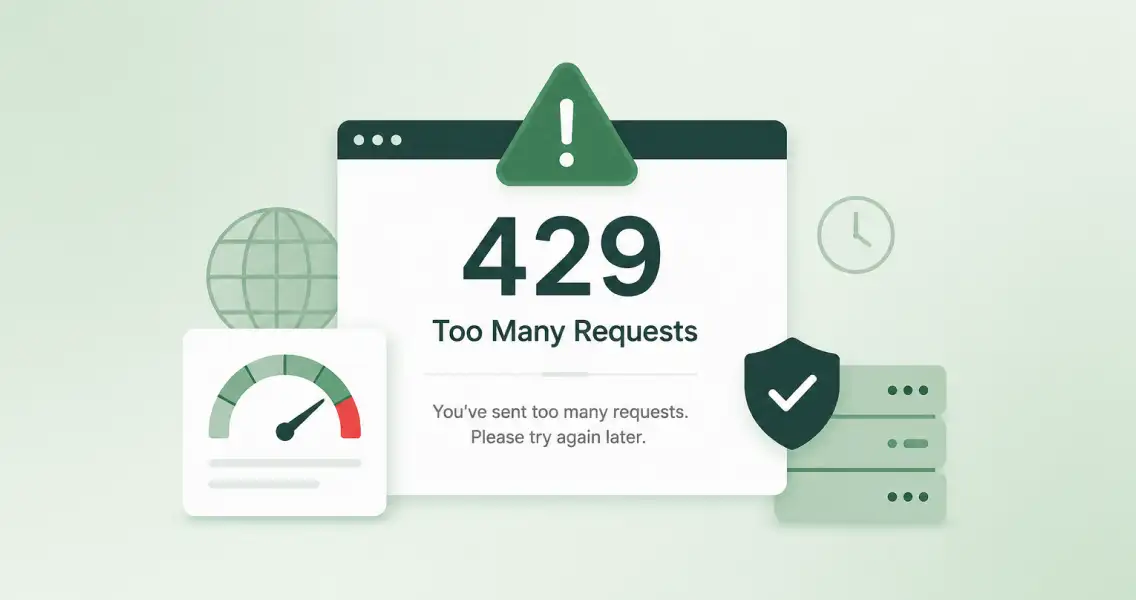
HTTP Error 429 Too Many Requests means the server thinks you’re sending too many requests too fast, and it’s telling you to slow down. A rate limit is doing its job. Your server isn’t broken, and your site isn’t crashing.
You’ll see it as a browser error, a failed API call, or a blocked login. On WordPress sites, it shows up most on login pages, registration forms, and admin-ajax calls. The fix depends on what’s actually triggering it, and that’s what this guide walks through.
Quick answer:
- HTTP Error 429 means you hit a rate limit, a request cap the server set for a given time window.
- The three most common causes: bots (login or registration), a plugin making too many API calls, or your server’s limits being too tight for real traffic.
- Fastest fix per cause: block bots with CAPTCHA, deactivate the offending plugin, or upgrade hosting.
What Is HTTP Error 429 Too Many Requests?
429 means the server is rate-limiting you. You sent more requests than it allows in a set time window, so it’s blocking you until that window resets. That’s the whole error.
It’s a 4xx code, a client-side issue, not a server crash. The server is working as designed, protecting itself from overload, abuse, or bots.
Most 429 responses come with a Retry-After header. It tells you how long to wait, in seconds or as a timestamp, before trying again. Ignore it, and you’ll likely get rate-limited again.
Compare it to a 503 error. A 503 means the server has no room left, it’s overwhelmed and can’t respond at all. A 429 means the server has room, but you specifically hit a limit it set for you. One’s a capacity problem. The other’s a rule you broke.
What Causes the HTTP Error 429?
Most 429 errors come down to three things:
- bots hitting a page too often,
- a plugin or script calling an API too much, or
- your server’s limits being too tight for your real traffic.
Everything else is a variation on one of those three.
Traffic And Bot-Driven Causes:
- Brute-force login attempts, bots trying username and password combos on repeat
- Registration and signup spam, bots hammering your registration form
- A sudden traffic spike or a DDoS attempt
- Web scrapers pulling pages faster than a normal visitor would
Site And Code-Driven Causes:
- A poorly coded plugin making repeated calls to an external API
- A cron job or background task looping and re-firing requests
- Mixed content (HTTP assets on an HTTPS page) tripping a security plugin’s rate limit
- XML-RPC left enabled and getting abused
Infrastructure Causes:
- Shared hosting with a low request ceiling for your plan
- A CDN or firewall (Cloudflare, AWS WAF) set to rate-limit too aggressively
- Everyone behind the same NAT or office proxy sharing one IP, and one person’s usage burns the whole group’s limit
| Cause | Who’s usually behind it | Fastest way to confirm it |
|---|---|---|
| Brute-force login | Bots | Security plugin login log |
| Registration spam | Bots | New user list, check timestamps and source |
| Bad plugin/API calls | Your own site | Network tab, filter by 429 |
| Traffic spike | Real visitors or DDoS | Hosting traffic report |
| Rate limit set too low | Your CDN/firewall config | CDN dashboard settings |
HTTP 429 Too Many Requests: How to Diagnose the Source on Your Own Site
Before you fix anything, find out what’s actually sending the requests.
- Turn on WP_DEBUG. Add it to your wp-config.php file. It logs plugin and theme errors that might explain repeated calls.
- Check the Network tab. Open dev tools (F12), reload the page, and filter by status code 429. This shows you exactly which request is getting blocked, whether it’s wp-login.php, admin-ajax.php, or an external API call.
- Pull your hosting logs. Log into cPanel or your host’s dashboard and check raw access or error logs. They show which IPs or URLs are getting hit the most.
- Check your security plugin’s log. If you run Wordfence, Sucuri, or similar, check the login and traffic log. It’ll show failed login attempts, blocked IPs, and registration activity, which tells you if bots are the source.
What are Registration Bots
Bots hitting your registration form can trigger the same 429 error as a brute-force login attack. Most guides only talk about login attempts. They skip this.
Every fake signup is a request. A bot hitting /wp-login.php?action=register or /wp-signup.php a hundred times a minute looks the same to your server as a hundred failed login tries. Enough of them in a short window, and your rate limiter fires. It doesn’t matter that it’s registrations instead of logins, the server just counts requests.
CAPTCHA and honeypot fields stop the request before it lands. That’s what cuts your request volume and prevents the 429 in the first place.
Manual approval works differently. A bot can still submit the form and still count against your rate limit. What manual approval does is stop that bot from becoming a live account once it gets through.
It can’t log in, can’t post, can’t send you a follow-up stream of requests as an “active” user.
CAPTCHA handles the requests. Manual approval handles the accounts that get past CAPTCHA anyway.
How to Fix HTTP 429 Too Many Requests on WordPress
Once you know the source, match the fix to it.
- Deactivate plugins one by one. Turn them off, then check if the error stops. This finds a plugin making excessive API calls.
- Change your default login and registration URL. Bots target /wp-login.php by default. Moving it cuts off a big share of automated traffic.
- Add CAPTCHA to login and registration forms. This stops bots before they can submit a request at all, which is what actually reduces your request volume.
- Limit login attempts. Cap failed logins per IP within a set window. Most security plugins do this out of the box.
- Upgrade hosting or add a CDN. If your traffic is legitimate but you’re hitting your plan’s request ceiling, this is the real fix, not a workaround.
- Fix mixed content. If HTTP assets are loading on an HTTPS page, some security plugins flag it as suspicious and rate-limit you. Run a search-and-replace to update old links.
- Disable XML-RPC if you don’t use it. It’s still enabled by default in WordPress core as of 2026, and it’s a common target for brute-force and DDoS traffic. If you don’t use Jetpack’s older connection method or a remote publishing tool, turn it off.
How to Fix HTTP 429 Too Many Requests as a Visitor
There’s not much you can do here. The rate limit is set by the site or server, not by you.
- Wait a few minutes. Most 429 blocks reset on their own.
- Clear your browser cache and cookies, then reload.
- If you’re on public Wi-Fi or a VPN, switch networks. You might be sharing an IP with someone who tripped the limit.
If it keeps happening on the same site, stop retrying. Repeated attempts just extend the block.
CAPTCHA vs. Manual Approval: Which Actually Stops 429 Errors?
CAPTCHA and rate-limiting plugins stop 429 errors. Manual approval doesn’t, and it’s not built to.
| Cuts request volume (fixes 429) | Blocks bad accounts (fixes spam) | |
|---|---|---|
| CAPTCHA / honeypot | Yes | Partial |
| Rate-limiting security plugin | Yes | No |
| Manual approval (New User Approve) | No | Yes |
Most sites need both. CAPTCHA or a rate-limiting plugin handles the request flood.
Manual user approval handles what slips past it, so a bot that beats your CAPTCHA still can’t become an active, spam-sending account on your site.
What are The Most Common Plugins That Cause 429 Errors?
Security plugins, backup tools, and social sharing plugins often trigger 429 errors.
They may ping external APIs too often or send repeated login requests. Caching plugins can help, but misconfigured ones can also cause issues.
If you see 429 errors, start by disabling plugins one at a time. Check if the error stops after each disable. This helps you find the problem plugin fast.
How Does a 429 Error Affect Googlebot Crawling Frequency?
Google treats 429 errors as temporary issues. When Googlebot sees repeated 429s, it slows down its crawl rate. This protects your server from overload.
If 429 errors keep happening, Google may drop some URLs from its index temporarily. Once the errors stop, it will try to recrawl those pages.
So, HTTP 429 errors won’t kill your SEO, but they can delay indexing and reduce visibility if they persist.
Does HTTP 429 Affect SEO and Crawlability?
Yes. If your site keeps returning 429 errors, search bots will slow down or stop crawling. That means new or updated pages may take longer to show up in search results.
Googlebot and other crawlers treat 429 as a signal to back off. If the Retry-After header tells them to wait a long time, they’ll wait. If they keep seeing 429s, they’ll crawl less often overall.
This matters most for pages you want to rank or update frequently. If key pages keep hitting rate limits, they may lose visibility or appear stale in search.
Best practice: set your rate limits so real users and good bots can crawl normally. Don’t throttle everything just to stop a few bad requests.
Ending Note on HTTP Error 429 Too Many Requests
An HTTP error 429 Too Many Requests means the server told you to slow down. Sometimes that’s a real visitor hitting a bad limit. Sometimes it’s a bot hammering your login or registration form. The fix depends on which one it is, so check your logs before you touch anything.
CAPTCHA and rate limiting stop the requests from piling up. Manual approval stops what gets through anyway. Run both, and you’re covering the problem from both ends, not just one.
If you want to see how manual approval fits into that setup, check out New User Approve.
FAQs on HTTP Error 429 Too Many Requests
Is a HTTP error 429 Too Many Requests a security issue?
Not on its own. It’s your server protecting itself. But if you’re seeing a lot of them, that often means bots or an attack are behind it, and that’s worth checking.
How long does an HTTP error 429 Too Many Requests last?
Depends on the site. Could be seconds, could be an hour. Check the Retry-After header if the response includes one; it tells you exactly how long to wait.
Does a 429 error hurt my Google rankings?
It can, if Google’s crawler hits it repeatedly. Googlebot backs off when it sees 429s, and if it keeps happening, your pages get crawled less often. That slows down indexing.
Can fake registrations cause a 429 error?
Yes. A bot spamming your registration form sends requests just like a brute-force login attempt does. Enough of them in a short window and you’ll trip the same rate limit.
What’s the difference between Error 429 and Error 503?
429 means you hit a request limit the server set for you. 503 means the server has no capacity left, period. One’s a rule, the other’s a wall.