We have just released New User Approve 3.0. This product update brings some handy new features and a cleaner look to stop spam registrations.
Here’s what you need to know about this release note.
A New Dashboard
There’s a new dashboard in this update. It’s faster and simpler.
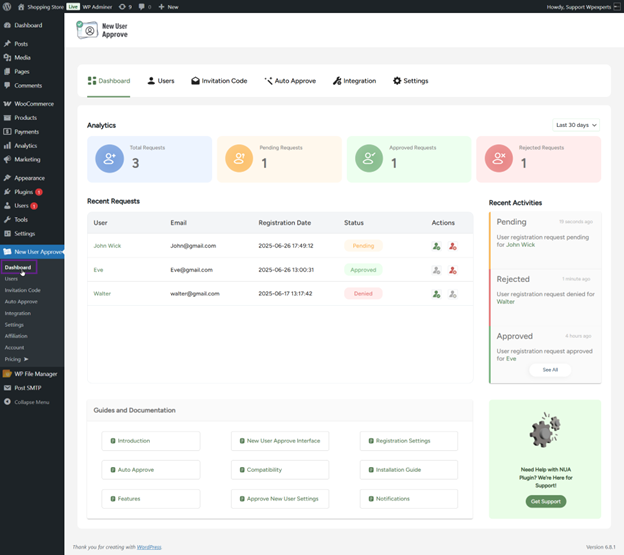
You can see all user requests on one page. You don’t have to jump around different screens to approve or deny people.
You’ll also see quick stats, like how many users are waiting, approved, or denied.
Admins can click straight into other pages from the dashboard.
The document shows GIFs of how the dashboard looks and how to approve users with one click.
Users Can Request Role Changes
Sometimes users need more access. Now they can ask to change their role on your site.

Admins will see these requests in a special tab. They can approve or deny them right away.
There’s also a shortcode you can put on any page to show the role change form.
Invitation Codes
You can control who registers on your site with invitation codes.
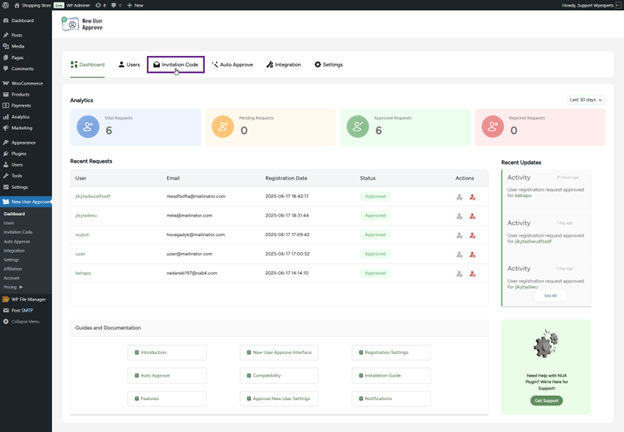
Admins can:
- Add codes one by one
- Auto-generate lots of codes
- Import codes from a CSV file
- Send codes by email

You can also set limits for how many times each code works and when it expires.
Users with a valid code get approved automatically. They don’t wait for manual approval.
Auto-Approve Rules
If you don’t want to approve every user manually, you don’t have to.
Version 3.0 lets you set rules so some users get approved right away.

By Domain
You can auto-approve users if their email matches certain domains.
For example, you could approve anyone with an email ending in company.com. or block domains you don’t trust.
Screenshots show how to whitelist or blacklist email domains.
By User Role
You can also auto-approve users based on the role they choose when signing up.
If they pick a role not on your list, they stay pending until you decide.
Zapier Integration
The plugin works with Zapier. This means you can connect New User Approve to other apps.

Here are some things that can trigger actions:
- User Approved
- User Denied
- User Pending
- User Auto Approved via Invitation Code
- User Auto Approved via Whitelist
- User Auto Approved via Role
This helps you send data to apps like Gmail, Google Sheets, or Slack.

Registration Deadlines
You can close registrations on a certain date or after a set number of sign-ups.
If you want, people with invitation codes can still register even after the deadline.

Better Email Notifications
Admins get emails when:
- New users register and wait for approval
- User status changes, like approvals

You can choose who gets these emails.
Users also get emails when:
- They’re approved
- They’re denied
- They’re welcome to the site
You can edit email subjects and messages. And choose if emails go out as plain text or HTML.
Other Changes
- A new time picker for deadlines
- A smoother, cleaner interface
- Code improvements
- Bug fixes for WooCommerce login issues
Wrap Up
New User Approve 3.0 product update is here to enhance you prevent fake user sign-ups and stop spam registrations. Cleaner dashboard interface, renowned integration and compatibilities along with better user approval management control makes it easier for those who register WordPress.
We hope you will find this product update essential and valuable for your WordPress site.