
If you’re curious about how a WordPress user registration plugin benefits your WordPress site and whether it’s essential, keep reading this informative article.
To make it easier to understand, imagine your WordPress site as a brick-and-mortar store and your user registration plugin as the receptionist. These registration plugins allow website owners to gather in-depth user information, control access to different website sections, and more.
The built-in WordPress registration plugins are essential and not always user-friendly for administrators and visitors. A dedicated user registration plugin significantly simplifies the process.
Additionally, ensuring user data security and managing different user roles may be complex without valuable tools. And that’s where these registration plugins play a crucial role.
In this article, we’ll suggest your website’s top WordPress user registration plugins. You’ll be able to select the one that best suits your requirements and enhances the functionality and security of your website.
Snapshot of 20 Best User Registration Plugins for WordPress
Here is the summary of the plugin discussed:
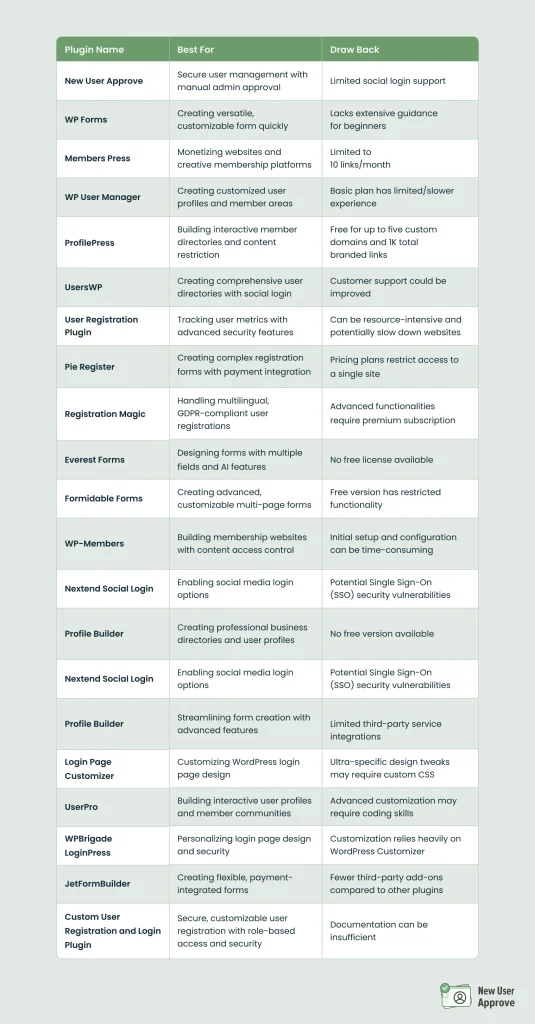
Top 20 User Registration Plugins For WordPress
New User Approve
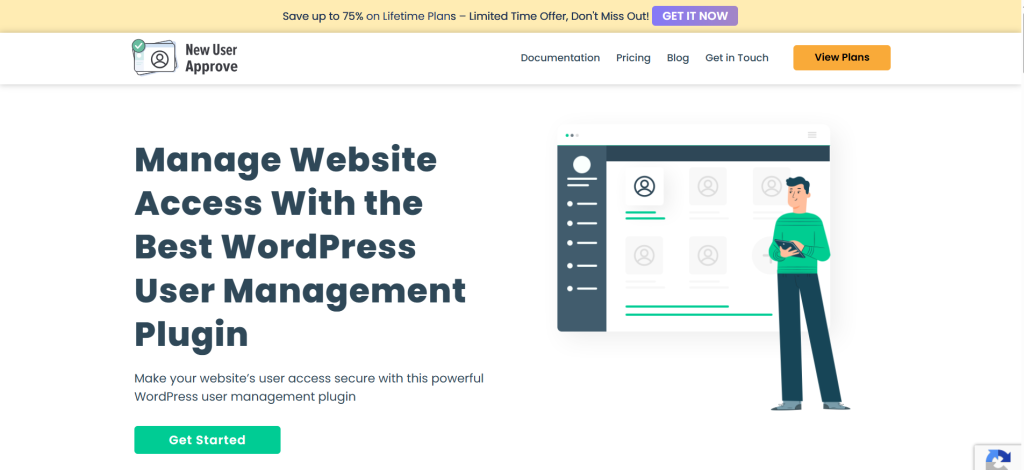
New User Approve is a robust WordPress user approval plugin that empowers administrators to manage and control user registrations effectively. This plugin ensures only approved users can access your website, enhancing security and user management.
Upon a new user registration, administrators receive an email notification prompting them to approve or deny the request. The user gets their login credentials only after approval, preventing unauthorized access.
New User Approve offers extensive customization options, allowing administrators to customize messages displayed during registration, including welcome messages, pending approval notifications, and denial messages.
Moreover, email notifications sent to users and administrators can be personalized to align with your site’s communication style.
The WordPress user management plugin supports generating invitation codes, enabling automatic approval for users with valid codes. It also features auto-approval for whitelisted users and automatic denial for blacklisted users, streamlining the user registration workflow.
Administrators can manage user approvals directly from the WordPress dashboard, with options to approve or deny individual users or perform bulk actions.
New User Approve is compatible with various other plugins and services, including Zapier, BuddyPress, LearnDash, and MemberPress, ensuring seamless integration into your existing WordPress ecosystem.
Benefits of New User Approve
- Enhanced Security: Ensures that only authorized users gain access to your website.
- Customizable Communication: Personalize messages and emails to provide a consistent user experience.
- Efficient User Management: Streamlines the approval process with features like invitation codes and auto-approval settings.
- Compatibility: It integrates smoothly with popular WordPress plugins and services.
Drawback of New User Approve
- Limited Social Login Support: The plugin does not currently support social login options, such as login via Facebook or Google.
New User Approve is a comprehensive solution for managing user registrations on your WordPress site, providing the tools necessary to maintain a secure and user-friendly environment.
WPForms
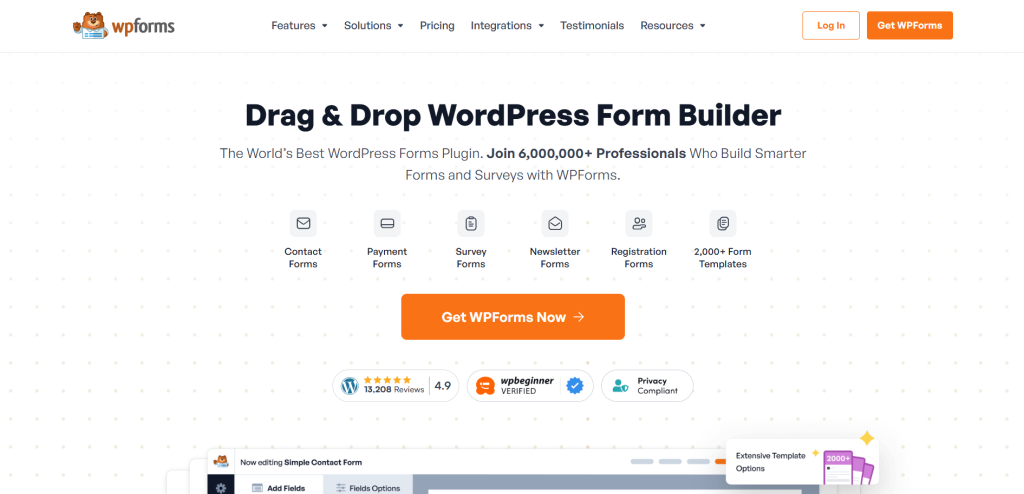
WPForms is a leading WordPress user registration plugin, making form creation incredibly simple.
This user registration plugin features an intuitive drag-and-drop builder, allowing you to design surveys and user registration forms within minutes—no coding required.
WPForms enhances efficiency with its pre-designed templates, which can be fully customized to fit your needs. Whether you require multi-page forms, file upload options, or radio buttons, this registration plugin offers all the essential features.
Integration with payment gateways and email marketing apps ensures seamless payment collection via forms for bookings or direct purchases.
Additionally, WPForms is highly flexible, allowing users to personalize their forms through custom CSS, HTML blocks, and section dividers. Advanced users can also leverage filters and hooks to extend functionality.
Advantages of WPForms
- Built-in spam protection with intelligent CAPTCHA to prevent unwanted submissions
- Easy embedding in pages, blog posts, sidebars, and footers
- Real-time notifications for quick responses to leads
- Efficient entry management system to track and organize leads effortlessly
- Fully responsive across tabs, smartphones, and desktop devices
Limitations of WPForms
- Lacks extensive built-in guidance for beginners
MemberPress
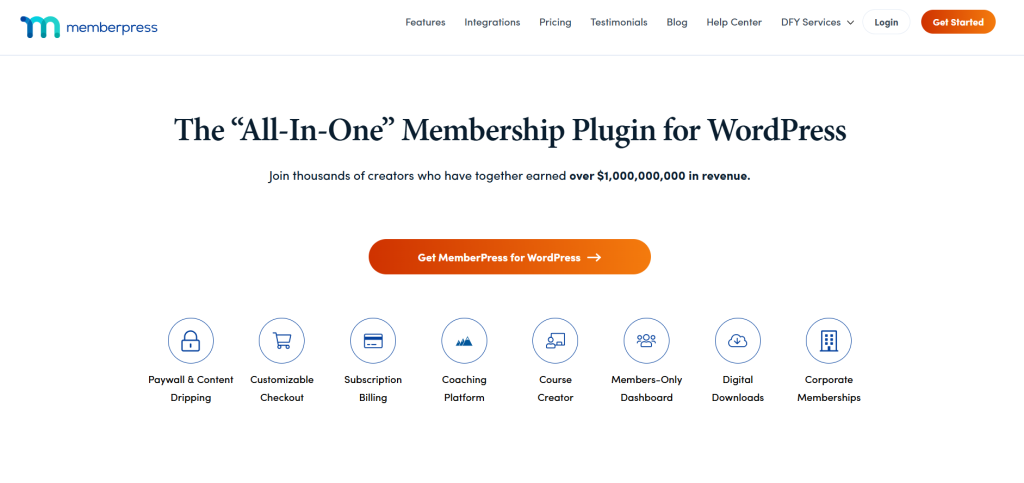
MemberPress is a comprehensive WordPress user registration plugin designed for website monetization and creating a thriving membership platform.
This powerful user registration plugin allows you to set up access controls, ensuring that only paying members can view premium content. With an automated system for billing, managing memberships becomes effortless while securing a steady revenue stream.
Beyond membership management, MemberPress includes built-in coaching tools, offering a seamless way to grow your business. As a top platform for collecting recurring revenue, it provides everything you need to establish and maintain a coaching or membership site.
The plugin has a built-in learning management system, perfect for online educators and creators who want to create and sell courses directly from their site.
Advantages of MemberPress
- Seamless integration with email marketing services
- Community-building through forum support
- Mobile-friendly design for easy access on any device
- Simple tools for managing member accounts
- Built-in coupon and discount code creation for promotional offers
Drawback of MemberPress
- Its premium features are more expensive than other WordPress user registration plugins.
WP User Manager – A Powerful WordPress User Registration Plugin

WP User Manager is a highly versatile WordPress user registration plugin that simplifies user profile management on your website.
With this user registration plugin, you can design a customized login page alongside a fully controlled registration process. It also enables the creation of a dedicated member area to update personal details easily.
Additionally, WP User Manager supports Stripe payment gateway, making payment handling seamless. The plugin lets you send personalized emails during user registration or password resets. A standout feature is the ability to upload customized profile avatars to set display pictures.
The plugin facilitates front-end WordPress user registration, allowing visitors to register and directly sign-in from the site. Each registered user receives a well-structured profile page that elegantly displays their details.
Furthermore, its shortcode editor provides an easy way to insert plugin functionalities into your posts and pages.
Why Choose WP User Manager?
Fully translation-ready for global usability
Developer-friendly with numerous filters and hooks
Control redirections after sign-in and registration
Restrict access to content based on user status or user roles
Updating passwords directly is easy from the account dashboard
Limitations of WP User Manager
- The experience for the basic plan is limited or slower compared to premium plans.
ProfilePress: A Powerful WordPress User Registration Plugin
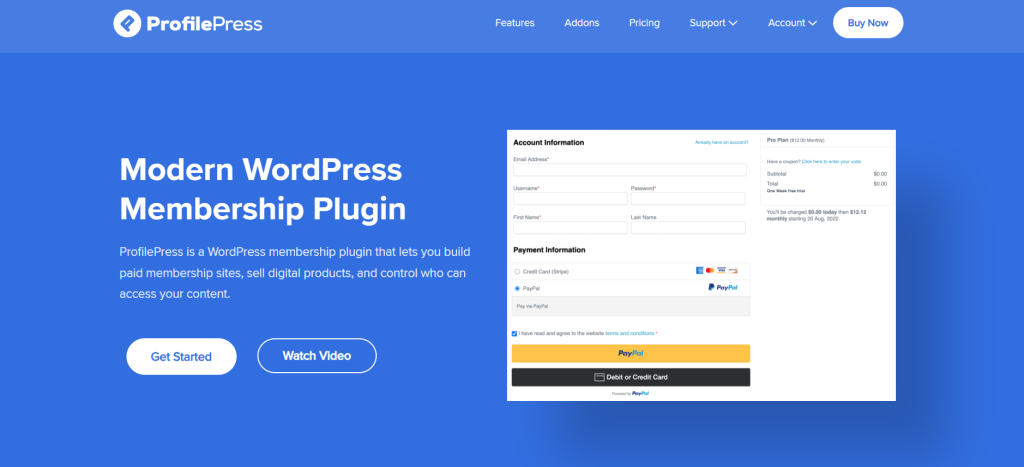
ProfilePress offers a drag-and-drop feature for form building, making creating and customizing user registration forms easy. This tool lets you design and modify user profiles, allowing members to update their details and upload profile pictures for a more interactive experience.
A standout feature of ProfilePress is its ability to create member directories that are easily searchable and have filters too. This is particularly useful for community-driven websites, helping users connect and engage effortlessly.
Content restriction is another core functionality. With this user registration plugin, you can restrict access to specific content based on user roles or membership levels. ProfilePress integrates seamlessly with popular payment gateways, such as Stripe and PayPal, making it an ideal choice for monetizing membership sites.
Subscription management and ProfilePress go hand in hand. To attract additional users, you can design and manage recurring or one-time subscription plans (including promotional discounts and free trials).
Furthermore, ProfilePress supports email marketing integrations with platforms like Mailchimp, helping you run targeted campaigns efficiently.
Key Benefits of ProfilePress
- Automates workflows by instantly signing in users right after WordPress user registration plus redirecting them accordingly.
- Provides in-depth reports on member activities, sales, and incomes.
- Seamlessly integrates with learning management systems such as LearnDash to manage and sell online courses.
- Allows users to see, print, and download purchase receipts in PDF format.
- Comes with professional customer support and comprehensive documentation.
Drawback of ProfilePress
- Requires knowledge of CSS and HTML to leverage its potential fully.
UsersWP – A Powerful WordPress User Registration Plugin
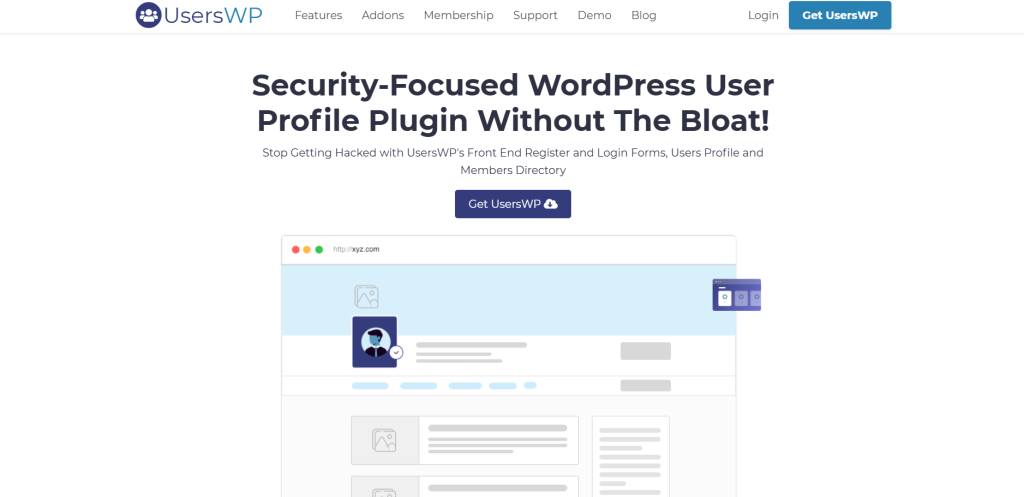
UsersWP is a feature-rich WordPress user registration plugin designed with security in mind. It enables each registered user to have a fully customizable profile page with an avatar, a prominent banner, and unlimited custom fields. Whether you need a simple user registration form or a complex user directory, this plugin handles it seamlessly.
With its intuitive drag-and-drop builder, creating user registration forms becomes effortless. It allows for unlimited custom fields, providing you with complete flexibility. Moreover, UsersWP provides a searchable members directory that showcases user profiles in a list or grid layout, making navigation and interaction smoother.
The plugin also supports social login, allowing users to register and log in using their Facebook or Google accounts. Moreover, email notifications can be personalized for various user actions, enhancing engagement and communication.
One of the standout features of this WordPress user registration plugin is its content restriction capabilities. You can control access to specific pages or posts based on user roles or login status, making it ideal for membership sites and premium content platforms.
UsersWP also includes admin moderation, ensuring secure user registrations. Site admins can manually approve or reject new users, adding an extra layer of security. Furthermore, the plugin integrates seamlessly with services like WooCommerce and MailChimp, making it a versatile choice for WordPress websites.
Benefits of UsersWP
- Enables private messaging between users, similar to social media platforms.
- Groups and Followers feature allows users to create communities and follow each other.
- Option to add a verified badge to profiles for enhanced credibility.
- Advanced search and filtering options based on custom fields.
- ReCaptcha integration to prevent spam and ensure secure WordPress user registration.
Drawback of UsersWP
- Customer support could be improved for better user experience.
User Registration Plugin – Best User Registration Plugin for WordPress Sites

The WordPress user registration plugin offers a perfect blend of simplicity and powerful features, making managing new and existing users easy. It provides seamless tools to track and analyze user metrics, offering valuable insights into site performance.
With this user registration plugin, you can manually or automatically approve users using six different methods. Additionally, it allows you to customize email notifications for various events, such as successful registrations and password resets.
A dedicated analytics dashboard comprehensively views user registration trends and metrics. To combat spam, the plugin includes advanced security measures like hCaptcha, Google reCAPTCHA, and honeypot protection, ensuring clean and secure registration forms.
For enhanced security, WordPress user registration supports two-factor authentication, requiring users to verify their identity in two steps for added protection.
Key Benefits of the User Registration Plugin
- Seamless integration with Stripe or PayPal during registration for payment acceptance.
- A progress bar feature for profile completion.
- “Save and continue” functionality allows users to complete forms conveniently.
- Front-end post submission, enabling users to create posts without going to the admin panel.
- Regular plugin updates for optimal site performance.
Drawback of the WordPress User Registration Plugin
- The plugin can be resource-intensive, potentially slowing down the website if un-optimized.
Pie Register
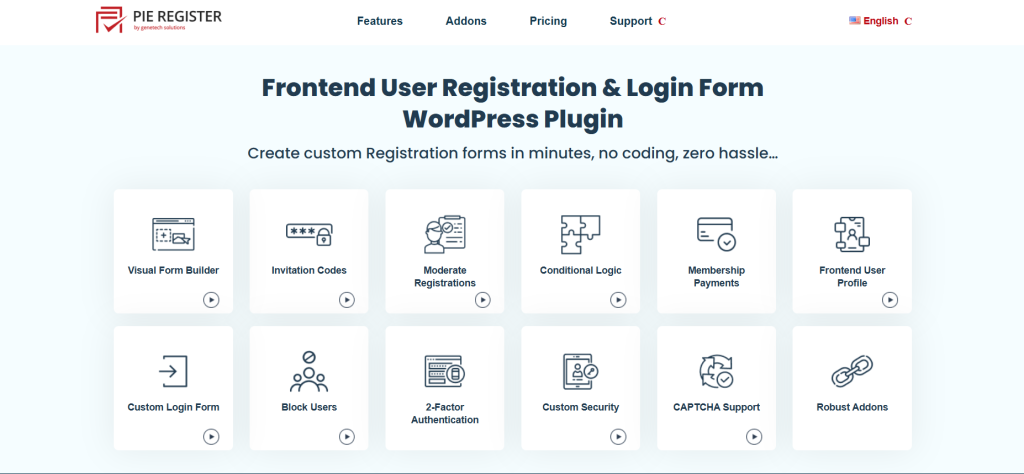
Pie Register is a powerful WordPress user registration plugin designed to simplify creating and managing user registration forms. With its intuitive drag-and-drop builder, you can design custom registration forms effortlessly while opting for advanced features like seamless payment integration and invitation-restricted registration.
A standout aspect of Pie Register is its built-in payment integration, allowing you to collect direct payment collection via your WordPress user registration forms via Stripe, Authorize.net, or PayPal.
Another key feature is conditional logic, which lets you dynamically hide or show form fields related to user responses. This enhances the user experience by making the registration process more interactive and user-centric.
The plugin also lets you send personalized email notifications for events like password resets or user signups.
Moreover, this plugin lets you create different user roles and helps manage permission. You can design and specify customized roles, ensuring users have limited access to various sections of your WordPress site.
Moreover, you can easily social login with this user registration WordPress plugin for seamless access to social media accounts.
Advantages of Pie Register
- Breaks long WordPress user registration forms into different usable steps for a smoother experience
- Helps maintain GDPR compliance by allowing you to manage privacy and user data settings
- Offers a membership fee feature for registration and managing recurring fees
- Supports automatic user login after successful registration
- Enables filtering and searching user profiles
Limitation of Pie Register
- Every pricing plan restricts access to a single site
RegistrationMagic

RegistrationMagic is a powerful WordPress user registration plugin designed to streamline the process of handling user registration on your WordPress site. It supports multilingual forms, making it an excellent choice for a diverse global audience.
One standout feature is its ability to generate unique tokens for each form submission, enhancing verification and ensuring a secure login experience for users.
This user registration plugin for WordPress provides both inline and popup registration forms, allowing smooth integration within your content or as attention-grabbing pop-ups. Also, customizable templates enable effortless form design to align with your website’s aesthetics.
Compliant with GDPR, the plugin includes tools for managing user data and privacy settings effectively. Automated workflows simplify WordPress user registration by enabling task automation, reducing the need for manual intervention.
This WordPress user registration plugin supports user directories for community-driven websites, allowing you to display registered users on your site. It also enables exporting form submissions as CSV files for efficient data analysis and record-keeping.
Key Benefits of RegistrationMagic
- Supports social media login via Facebook, LinkedIn, and Google for quick user registration.
- Features MagicPopup, which provides sliding panels and pop-ups to display registration forms dynamically.
- Allows users to upload file attachments with their form submissions.
- Enables creating and assigning custom user roles during user registration, allowing users to select their roles.
- Provides in-depth analytics with charts and graphs to monitor form submissions and user activity.
Limitation of RegistrationMagic
- Access to advanced functionalities requires you to buy a premium subscription.
Everest Forms
Everest Forms is a powerful WordPress user registration plugin equipped with 35+ form fields and the drag-and-drop form builder, making it simple to design custom forms tailored to your needs.
This user registration plugin enables you to send automated email notifications that easily handle unlimited confirmation and welcome emails. Additionally, it enables you to export, manage, and view form submissions through a single dashboard.
Google Analytics can be seamlessly integrated here to track contact and registration form submissions and evaluate performance. It also supports file uploads (including images), making it easy to collect essential documents or media directly from users.
To enhance user experience, redirect users to a thank-you page or any other resource after they submit the form. Moreover, the plugin offers extensive styling options, allowing you to customize form designs to align with your website’s aesthetics.
You also get AI-powered features like interactive chat boxes and AI-assisted email notifications.
Advantages of Everest Forms
- Easily design and monitor quizzes, surveys, and polls
- Display form submissions on the front end using a table format
- Users can sign documents quickly via the E-signature feature
- Efficiently save forms on Cloud
- Unlimited creation of personalized email templates
Cons of Everest Forms
- This WordPress user registration plugin is unable to offer a free license
Formidable Forms
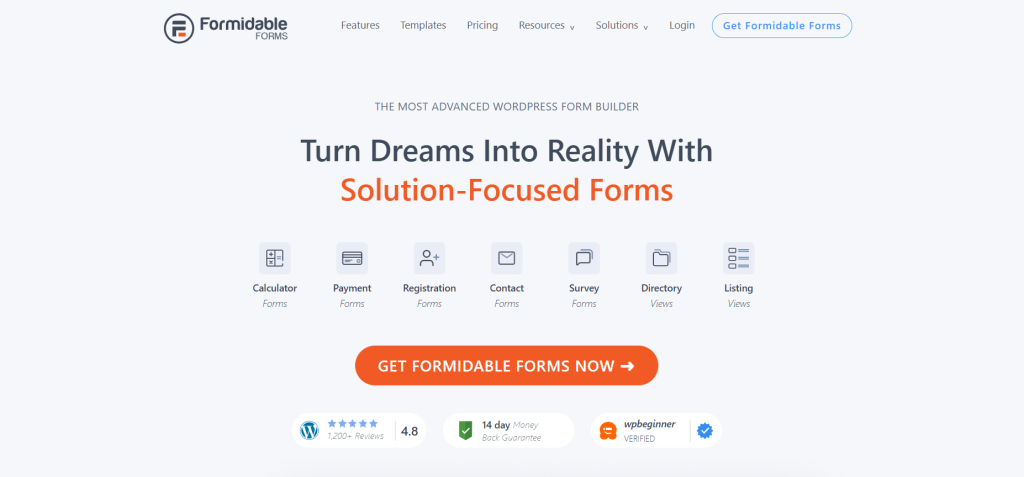
Formidable Forms is built to help you accomplish more with minimal effort. As a leading WordPress user registration plugin, it enables you to create everything from basic contact forms to advanced multi-page forms with file uploads, conditional logic, and calculations.
Beyond form creation, this user registration plugin allows you to display gathered data in various formats like tables, listings, and user profiles using its Views integration.
One of its standout features is highly customizable templates, ensuring users can edit their profiles directly from the front end of your website. This eliminates the need for backend access, making profile management seamless.
Security is also a priority, with built-in CAPTCHA and other anti-spam measures to safeguard your WordPress user registration forms from bots and spam attacks.
Advantages of Formidable Forms
- Offers in-depth analytics for tracking form submissions
- Supports file uploads during user registration
- Fully GDPR compliant
- Enables the creation and assignment of custom user roles and permissions
Limitation of Formidable Forms
- The free version has restricted functionality
WP-Members

WP-Members, also known as WP Members, is a streamlined WordPress user registration plugin designed for effortlessly building membership websites with controlled access to content. This user registration plugin is adaptable and can quickly grow to meet your needs.
With WP-Members, it is easy to control the visibility of posts and unique content types by hiding them entirely or restricting access. Furthermore, it is easy to limit the display of menu items for users who are logged in, ensuring that only members can view particular navigation options.
The WordPress user registration plugin seamlessly integrates with your existing theme, providing functionalities for profile management, user registration, and user login without requiring any modifications to your site’s visual design.
WP-Members also boast potent shortcodes. The plugin simplifies embedding login & registration forms and content access restrictions directly into your website’s posts and pages. For developers, the backend offers an extensive collection of 120+ filter and action hooks.
Finally, WP-Members empowers you to design personalized profile and registration fields. You also have control over the specific information of website users during WordPress user registration.
Advantages of WP-Members:
- Employs the stopforumspam.com API to prevent fraudulent registrations.
- You can send out test emails for the plugin’s notifications.
- Download protection and limit access to designated files exclusively for signed-in users.
- Limits registration to individuals possessing a validated invitation code.
- Facilitates easy addition of new users to the MailChimp list upon registration.
Disadvantages of WP-Members:
The initial setup and configuration for optimal performance may require a certain amount of time.
Nextend Social Login: A Powerful WordPress User Registration Plugin
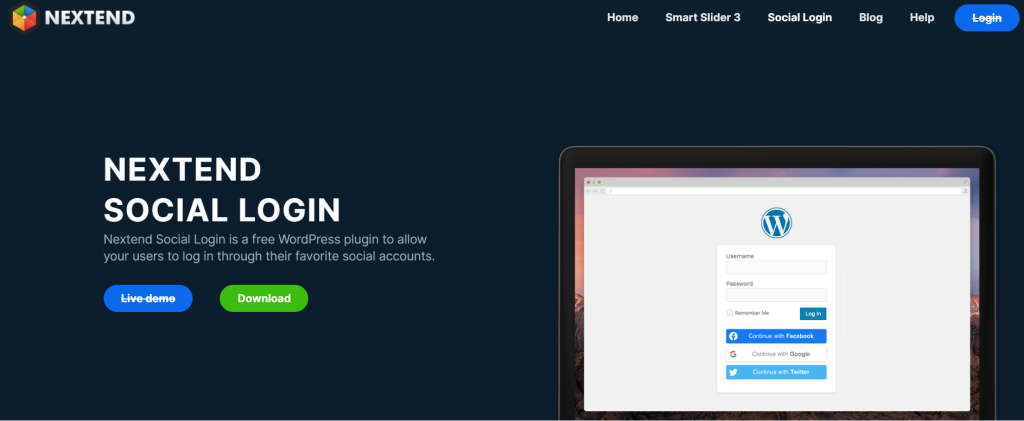
Nextend Social Login is a versatile and efficient user registration plugin for WordPress. It lets visitors sign up and log in using their social media accounts, such as Facebook, X, and Google.
As the site owner, you have full control over which social platforms users can access for registration and login. You can also decide where the social login buttons appear on your website, ensuring they blend seamlessly with your design while enhancing the user registration experience.
One of the key advantages of this WordPress user registration plugin is the streamlined registration process. With a single click, new users can become part of your community, while existing users can easily link or unlink their social accounts directly from your site. This feature allows returning visitors to effortlessly log in with their preferred social profiles.
For WooCommerce store owners, the Nextend Social Login Pro Addon offers additional functionalities. It lets users sync their social accounts with their WooCommerce profiles, simplifying the shopping and checkout experience.
Enabling social login for WordPress comments can also boost engagement on your website. The simplified login process makes visitors more likely to leave comments and participate in discussions.
Key Benefits of Nextend Social Login
- Role-based social login: You can limit social login options to specific user roles for better access control.
- Multilingual support: The plugin is translation-ready, making it accessible to users in different languages.
- Comprehensive documentation: Includes detailed guides with screenshots and examples to assist with setup.
- Tutorial videos: Step-by-step video tutorials help you configure the plugin quickly.
- Customizable design: Personalize the appearance of the social login buttons, choosing between icons or wide buttons.
Potential Drawback of Nextend Social Login
- Single Sign-On (SSO) vulnerability: Like other SSO solutions, it carries a risk of a single point of failure, which may impact security.
Overall, Nextend Social Login is a feature-rich WordPress user registration plugin that enhances the login experience, encourages engagement, and simplifies the user registration process on your site.
Profile Builder: A Resourceful WordPress User Registration Plugin

Profile Builder is a versatile WordPress user registration plugin that allows you to design sleek and user-friendly login and signup forms. It offers customizable user profiles, enabling individuals to manage their details easily.
This user registration plugin is ideal for creating and managing business directories. With pre-made templates, you can securely showcase members or display job offers and consulting services.
One standout feature of Profile Builder is the ability to ask the admin for approval for any changes in a profile. This enhances security and gives you enhanced control over UGC.
Additionally, the plugin enables users to upload profile photos directly, eliminating the need for Gravatar. It’s easy here to show users on the front end in the directory or list format, making it perfect for community-based WordPress sites.
Another key advantage is its GDPR compliance, ensuring that all forms safeguard user data in accordance with current regulations. Moreover, it supports password-less login by sending an OTP via email, easing the login process.
Advantages of Using Profile Builder
- Seamless integration with WooCommerce for managing shipping and user billing fields
- Geolocation data for providing insights into your user base
- Allows human intervention to accept or deny new user registrations, adding a layer of control
- Restricts access to specific content based on sign-in status or user roles
- Sends customizable email notifications for actions like password resets
Downside of Profile Builder
- No free version available, making it a premium-only WordPress user registration plugin
Fluent Forms: A Comprehensive WordPress User Registration Plugin
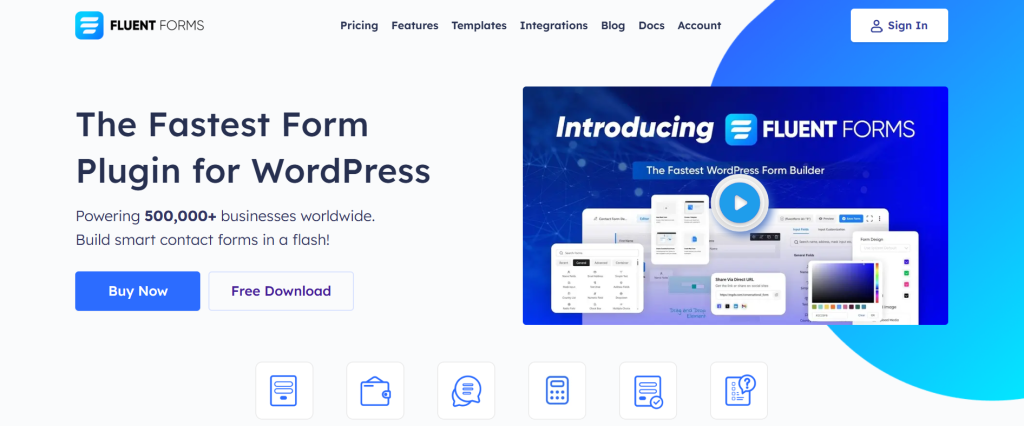
A dynamic WordPress user registration plugin designed to streamline the creation and management of WordPress forms. It provides customizable templates, enabling you to build professional forms, including user registration forms, with just a few clicks.
This user registration plugin empowers your site members to manage their profiles directly from the front end. Users can conveniently update their personal details without needing to log in, making the process more efficient and user-friendly.
The Form Abandonment Addon is a standout feature, capturing partial form submissions from users who leave forms incomplete. This helps reduce form drop-off rates and ensures you can still gather valuable lead information.
Another helpful tool is the Save and Resume feature, which lets users save partially filled forms and complete them later. This is particularly helpful for lengthy user registration forms, allowing users to finish at their convenience.
Fluent Forms also offers geolocation tracking, allowing you to collect data on user demographics. It also sends automatic email confirmations to new registrants, helping verify their email addresses and enhancing security.
Advantages of Using Fluent Forms
- File Uploads: Enable users to upload files during the registration process, ideal for collecting images, documents, or other necessary files.
- Conditional Logic: Display or hide fields based on user responses, creating dynamic and interactive forms.
- Spam Protection: Secure your forms with CAPTCHA, reCAPTCHA, hCaptcha, and other anti-spam measures to block bots and spam submissions.
- Multi-Step Forms: Break longer registration forms into multiple steps, making them easier to complete and boosting submission rates.
- Social Login: Simplifies the registration process by allowing users to sign up and log in using their social media accounts, such as Google or Facebook.
Limitations of Fluent Forms
- While highly functional, this WordPress user registration plugin lacks some integrations available in other form builders, which may limit compatibility with certain third-party services.
Login Page Customizer
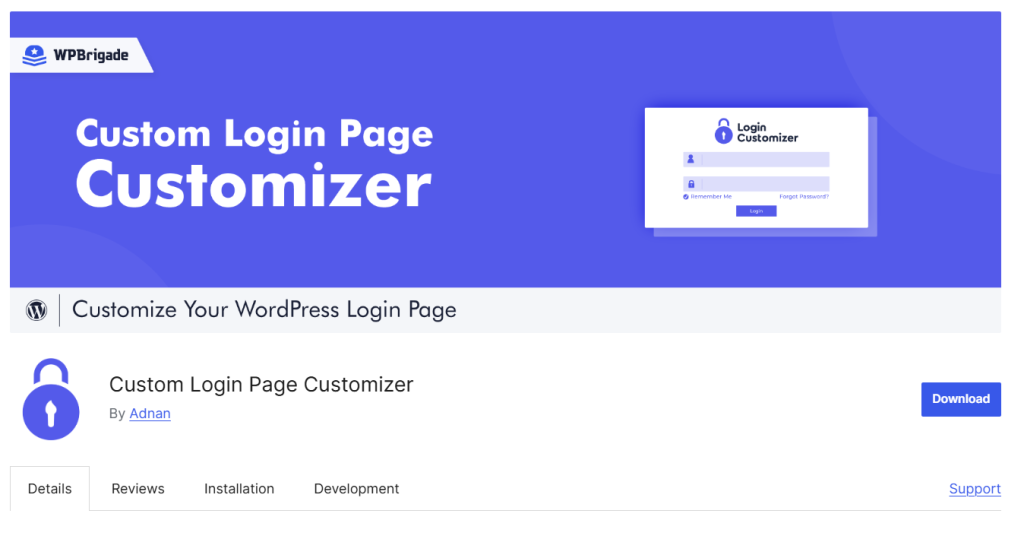
A user registration plugin with login page customization capabilities allows you to craft a seamless and professional login experience. Login Page Customizer can enhance your website’s credibility and deliver a consistent, branded experience.
The WordPress user registration plugin provides a live preview feature to see real-time changes as you adjust the login page. Also, uploading a custom logo, resizing it, and adjusting the position for a perfect fit is easy. The plugin makes it simple and efficient to achieve a polished appearance without needing constant revisions.
One standout feature of this user registration plugin is the ability to insert a background picture or a dynamic slideshow to the login page. Moreover, selecting from custom or pre-designed color schemes to align with your site’s branding is easy.
The plugin also allows you to modify the style and font size of the links, login forms, etc., This ensures that the text remains clear and visually appealing, contributing to a cohesive design.
For advanced customization, you can insert custom CSS code, giving you complete control over the appearance and styling of the login page.
Advantages of the WordPress User Registration Plugin
- Embed a slideshow or background photo into the login page for a unique look
- Choose from preset or custom color schemes
- Free version is ideal for those with a limited budget
- Responsive design ensures the login page appears eye-friendly across devices
- Supports multisite networks, allowing you to manage login pages across multiple sites from a single location
Limitation of the WordPress User Registration Plugin
- Ultra-specific design tweaks may require custom CSS coding
UserPro

If you’re aiming to build sleek user profiles, member directories, and front-end login and registration forms, UserPro is an excellent WordPress user registration plugin to consider.
This plugin offers seamless social media integration, allowing users to sign up and log in using platforms like Facebook, Twitter, Google+, LinkedIn, and Instagram.
A key highlight of UserPro is its badge assignment feature, which rewards users for specific achievements and activities. This gamification aspect boosts user interaction and adds a playful, competitive dynamic to your website.
Moreover, UserPro enables front-end content submission, making it particularly valuable for websites that thrive on user-generated content.
The plugin also promotes user connections, allowing members to follow one another and stay informed about each other’s activities. This social element strengthens the sense of community and encourages ongoing engagement.
Benefits of UserPro
- Real-time activity feeds to keep users informed and engaged
- Enhances the user experience with custom redirection options
- Displays a searchable, sortable member directory for easy navigation
- Includes hooks and filters for advanced customization
- Fully compatible with WPML, making it simple to build multilingual websites
Drawback of UserPro
- Advanced customization may require coding skills
WPBrigade LoginPress
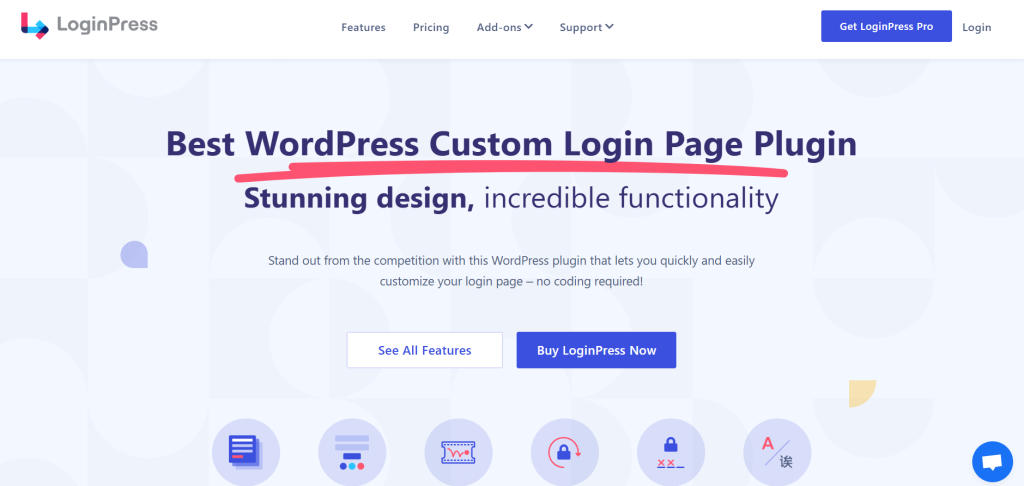
This plugin offers various design functionalities, enabling you to align your login screen with your website’s identity. You can also select from numerous ready-made themes for a swift setup to quickly develop a polished login area.
This plugin enables you to access 700+ Google fonts, allowing for extensive personalization of your login page’s appearance.
Furthermore, the default WordPress logo can be substituted with your personalized branding. To further enhance customization, LoginPress permits the modification of the login page’s backdrop. You can employ a specific video or picture to create a more captivating and tailored login experience.
Another valuable aspect is social login integration, which allows individuals to sign in through social media credentials. This can make the user registration process flawless.
Advantages of WPBrigade LoginPress:
- It offers the ability to restrict login attempts, safeguarding your site against forceful entry attempts. This can be crucial for the security of your WordPress user registration.
- A login form widget can be added to your sidebar, providing convenient page access. This simplifies the user registration process. Integration with Google reCAPTCHA helps safeguard login forms from unwanted automated bot interactions, ensuring a secure WordPress user registration experience.
- The plugin facilitates the creation of a sign-in page in various languages, thanks to its compatibility with TranslatePress and WPML. This is beneficial for sites needing multilingual user registration capabilities.
- An IP Whitelisting/ or blacklisting to control which IP address is permitted to access the login page, adding another layer of security to your user registration plugin.
Disadvantage of WPBrigade LoginPress:
Most customization relies on the WordPress Customizer, which some users might find less intuitive.
JetFormBuilder

A flexible WordPress user registration plugin to create personalized forms without restrictions. It is a powerful tool designed to manage various forms, including WordPress user registration forms.
This user registration plugin comes with built-in payment gateway support. You can create forms to accept direct payments on the website. Stripe payments, PayPal recurring payments, and WooCommerce checkout functionalities are supported here.
User-generated content is efficiently catered to here. With its front-end forms, users can submit and modify content easily.
Additionally, you get the conditional logic feature, allowing you to build dynamic forms that respond to user inputs. As a result, the form-filling process is more intuitive and personalized.
You can customize the form appearance to align with your WordPress site’s design through the Gutenberg block editor or shortcodes.
Benefits of JetFormBuilder
- Automatically sends and customizes emails when a form is submitted
- Social logins simplify user registration process
- Easy import and export of form data
- Enhances data accuracy through validation options
- Provides extensive support through customer support or YouTube tutorials
Drawback of JetFormBuilder
- Fewer 3rd-party add-ons compared to other WordPress user registration plugins
Custom User Registration and Login Plugin
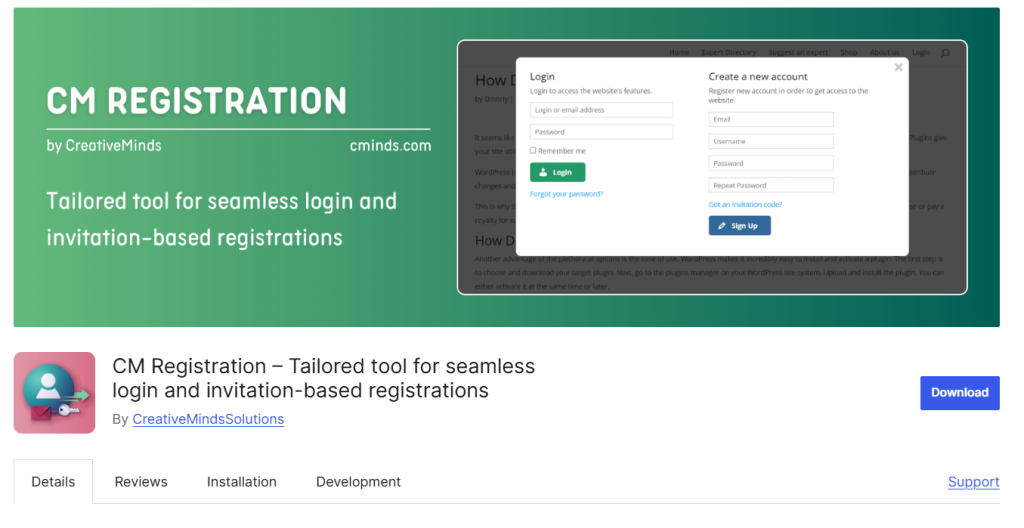
The Custom User Registration and Login Plugin offers a streamlined experience by keeping users on the same page after logging in. This enhances usability and ensures a smooth workflow. It also strengthens security by allowing you to regulate who can sign up on your site.
With AJAX-based forms, the plugin delivers fast, dynamic interactions during registration and login. You can also restrict access to specific content based on user roles or login status, adding flexibility and protection to your website.
Another standout feature is the invitation code functionality. This lets you control who can create accounts, boosting security and exclusivity. To prevent spam, the plugin includes mandatory email verification during registration.
Creating custom forms is easy, allowing you to add, remove, or reorder fields as needed. This makes it simple to customize the user registration process to fit your specific requirements.
The plugin integrates effortlessly with Gravity Forms, providing advanced form-building capabilities without complexity.
Key Benefits of This WordPress User Registration Plugin
- Accept payments during user registration
- Seamlessly integrate with the CM Business Directory plugin for expanded functionality
- Block logins and registrations from specific IP addresses
- Customize all plugin labels to align with your site’s branding
- Includes widget support, allowing you to place user registration and login forms in sidebars
Potential Drawback
- The documentation can sometimes be insufficient and problematic to follow