Businesses struggle with a lack of skilled workers, tight budgets, technological debt, and the constant demand for speed. Knowing when to use no-code technologies and when to develop intellectual property can significantly impact staying ahead.
Pre-built templates and visual builders are used to design no-code app solutions that speed up and streamline development. These solutions let consumers build no-code apps, launch sites, and automate processes without knowing any code.
Gartner predicts that by 2025, more than 70% of business apps will be developed using low-code or no-code innovation. Thus, it should be no surprise that businesses worldwide are diverting efforts to no-code solutions that enable users of all abilities to become developers and create advanced apps.
9 Fastest Emerging No-Code App Builders in 2025
Here are 9 super effective no-code app builders that you should eye to build your business in 2025:
Service Now

ServiceNow is a low-code/no-code development solution that uses templates. It enables professional and amateur developers to create apps rapidly. Users may create new workflow apps using the ServiceNow App Engine with a few clicks. Leveraging the extensive collection of APIs and tools makes connecting outside networks or third-party applications feasible.
Key Features
App Engine management center
IT administrators may monitor the creation of apps and deployment with ServiceNow’s end-to-end app governance and management features.
Process Adaptation
Building an app by integrating complex systems, procedures, and individuals via centralized workflows is easy.
Customized User Interfaces
Design consistent and personalized user interfaces without boilerplate codes.
Low code
ServiceNow gives you a drag-and-drop no-code visual builder, enabling you to build apps with the least coding knowledge.
Best For:
- Custom Templates: Leveraging a huge library of pre-made components to quickly design and deploy no-code apps is easy.
- AI Assistance: ServiceNow enables you to add AI functionalities to design adaptable and robust apps.
- Monitor data: This no-code app allows anyone to gather, handle, and track corporate data and generate customized reports.
2- Nintex
A no-code app builder tool with powerful process automation and intelligent process workflow functionalities. IT developers can design compliant, powerful, and efficient workflows to upgrade internal operations. Nintex offers RPA bots, customized workflows, and pre-made process maps for business process optimization. Automating complicated workflows, project collaboration, and designing custom apps is easy.
Key Features
Robotic Automation
To increase productivity and free up staff members to work on more complex tasks, Nintex lets you automate repetitive and manual tasks.
Discovery of Process
Efficiency is increased by automating laborious and repetitive operations, freeing up teammates to work on more complex projects.
Process Handling
Nintex helps users to manage and document organizational procedures.
No-code Design and Development
Users may construct and organize operations without manual coding by dragging and dropping components, thanks to the graphical workflow architecture.
Best For
- Built-in connectors: Users can link databases, internal/external systems, and other 3rd-party applications with Nintex’s built-in interfaces and open AI.
- Robust forms: Customers can create powerful digital versions to record or present data.
- Mobile-friendliness: You may manage workflow from your smartphone with the help of the mobile-friendly platform Nintex.
- Simple testing: Workflows can be tested within the designing platform before implementation.
3- Quickbase

A no-code app builder designed for IT professionals and citizen developers to create custom applications and streamline intricate workflows. With its governance features, IT administrators can efficiently manage app development from a unified dashboard.
Key Features
Workflow Optimization:
Users can streamline internal processes by digitizing operations, automating routine manual tasks, and efficiently managing intricate workflows.
No-Code Application Development:
Quickbase provides a user-friendly, no-code platform that enables seamless workflow orchestration without the need for coding expertise.
Seamless Integration:
Workflows can be effortlessly connected with internal and external systems, ensuring smooth data exchange and enhanced collaboration.
Robust Governance:
Advanced data governance tools empower users to maintain data integrity, enforce compliance, and mitigate potential risks effectively.
Best For:
- Access Management: IT administrators can establish role-based access controls, ensuring team members have permissions aligned with their duties and responsibilities.
- Performance Tracking: Users can oversee essential operational metrics in real time, allowing them to detect and address potential issues before they escalate.
- Seamless Integration: QuickBase provides powerful integration capabilities and a comprehensive API suite, enabling seamless workflow connectivity and centralized data management.
- Activity Logs: Users can monitor data changes and track user interactions through real-time audit logs.
4- OutSystems
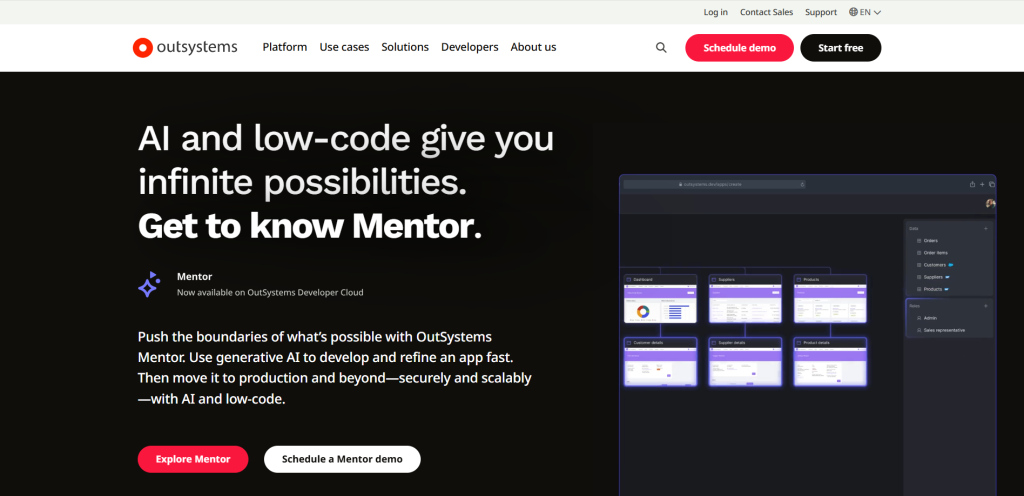
OutSystems is a low-code development platform designed to streamline the creation, coding, and deployment of high-performance applications. It offers visual development tools and AI-driven automation, enabling users to build custom applications rapidly with little to no manual coding. By providing IT administrators with 100% control over the application lifecycle, OutSystems ensures scalability and security while reducing the risks associated with shadow IT.
Key Features
Workflow Automation
Streamline intricate business operations by converting them into efficient, automated workflows.
Seamless Integrations
Connect your custom applications with essential business data from CRMs, ERPs, and other internal systems.
Tailored User Interfaces
Design personalized end-user experiences with adaptable UI patterns and responsive templates for both web and mobile applications.
No-Code Development
Build applications effortlessly using a drag-and-drop interface, pre-built templates, and minimal resources.
Best For
- Machine Learning Integration: The platform leverages advanced machine learning algorithms to suggest optimal user interface elements and design choices throughout development.
- Security Management: System administrators can implement granular permission controls, restricting data access and application management to authorized personnel.
- Live Performance Tracking: A comprehensive dashboard provides continuous monitoring capabilities, offering instant visibility into workflow performance and detailed application metrics.
- Centralized Oversight: The system’s collaborative framework and controlled environment help prevent unauthorized application development and shadow technology deployment.
5- Microsoft PowerApps

Microsoft PowerApps provides a fast, low-code development platform that empowers users to design and deploy sophisticated applications and workflows without requiring extensive programming knowledge. It allows users to tailor workflows to their business needs by seamlessly connecting with various data platforms, applications, and services. Both professional developers and non-technical users can leverage drag-and-drop components, ready-made templates, and AI-powered tools to build applications efficiently.
Moreover, PowerApps integrates seamlessly with other Microsoft services such as Microsoft 365, Microsoft DataVerse, SharePoint, and Dynamics 365. Various Office 365 subscription plans also offer access to this platform.
Key Features
Copilot:
This tool, powered by Microsoft’s generative AI, allows users to describe the app they want. The AI automatically generates its design.
Workflow Automation:
This platform enables users to streamline and automate processes across various websites, applications, and systems.
Power Apps Studio:
Designed for beginners, this app-building tool features an interface similar to Microsoft PowerPoint, allowing users to create applications as quickly as they would design presentations.
Application Lifecycle Management:
IT administrators can oversee the entire lifecycle of an application, from development and deployment to ongoing maintenance and governance.
Best For
- Low Code Development: This platform includes an intuitive WYSIWYG editor with ready-made templates and a user-friendly drag-and-drop interface.
- Extensive Data Connectivity: With access to a library of over 1,000 data connectors, users can seamlessly integrate various data sources. Additionally, they have the flexibility to create custom connectors as needed.
- Role-Based Access Control: IT administrators can define security roles to regulate access to applications, data, and resources, ensuring proper authorization for different team members.
- Custom Development Options: For enhanced functionality, users can incorporate custom code, allowing them to expand and personalize their applications beyond standard features.
6- Glide
Glide enables users to create robust applications without coding or technical expertise. Its core capability is transforming complex database logic into functional applications. The platform easily integrates with various data sources, including Airtable, CSV files, Google Sheets, and Microsoft Excel.
With Glide’s intuitive drag-and-drop interface, users can design and build applications effortlessly. Whether they’re creating mobile stores, workflows, team directories, or other applications, Glide provides the tools to bring ideas to life.
Key Features
No-code:
The platform transforms spreadsheet information and logic into functional applications, allowing users to connect various data sources, execute calculations, and retrieve information without programming knowledge.
Pre-built templates:
Access a comprehensive collection of over 400+ ready-to-use designs that can be customized and tailored to fit specific project requirements.
Connected workflows:
The system enables users to link multiple process steps using conditional logic branches to create powerful automation and personalized solutions.
Role-based access:
System administrators can configure different user levels and permissions based on team members’ specific roles and responsibilities.
Best For:
- Cross-platform functionality: Glide creates applications that seamlessly adjust to various devices and modify their layouts accordingly.
- Connect with diverse data sources: The platform integrates and synchronizes business data from various sources, including spreadsheets and databases.
- No-code automation: Users can design and oversee sophisticated workflows and easily integrate them with other tools.
- Scalability: The platform ensures effortless scalability while upholding the performance and responsiveness businesses require.
7- Creatio

Creatio enables users to design, enhance, and automate workflows efficiently. It primarily provides customer relationship management (CRM) functionalities, helping users optimize customer interactions with minimal coding.
Additionally, the platform simplifies and automates sales and marketing operations. With features like drag-and-drop visual components, a customizable UI builder, ready-made templates, and seamless integration options, Creatio enhances workflow efficiency.
Key Features
No-Code Development:
The platform enables users to create enterprise applications, workflows, and system integrations effortlessly without coding.
Workflow Automation:
Cretio’s automation capabilities allow users to streamline both structured and unstructured processes efficiently.
Pre-Built Templates:
Creatio provides a collection of ready-made templates for applications and connectors, helping to speed up no-code app development.
Custom UI Design:
Users can craft tailored interfaces using an extensive selection of predesigned widgets, layouts, and templates.
Best For
- Enhanced Reporting Capabilities: Creatio provides integrated analytics, sophisticated reporting, and KPI tracking tools tailored for essential CRM functions.
- Comprehensive Customer Insights: Sales teams gain full access to both internal and external customer data, ensuring a unified and detailed view.
- Optimized Sales Workflow Automation: The platform enhances efficiency by automating various sales tasks, such as lead management, sales forecasting, and performance tracking.
- Intuitive and Accessible Interface: Designed for ease of use, Creatio offers a seamless user experience to both seasoned developers and business professionals.
8- Quixy

Quixy is a no-code SaaS platform for professional developers and business users to automate intricate workflows and effortlessly create tailor-made applications. With its intuitive drag-and-drop interface and library of pre-built templates, the platform simplifies internal process management, eliminating the need for coding expertise.
Key Features
Pre-Built Templates:
Easily modify and personalize ready-made templates from the Quixy app store to accelerate app development.
Advanced Business Rules Engine:
Define intricate conditions within workflows to trigger multiple automated actions seamlessly.
Intuitive Low-Code Workflow Designer:
Leverage a user-friendly visual interface to create and manage complex workflows effortlessly.
Dynamic Form Builder:
To build interactive forms, access a diverse set of 40+ no-code app builder form fields, including e-signature and geolocation.
Best For
- Effortless Connectivity: Quixy enables smooth data synchronization across external applications using webhooks and pre-built connectors.
- Instant Insights: Gain real-time analytics with Quixy, empowering users to make informed, data-driven decisions.
- Built-in Testing Environment: With Quixy’s simulator, users can thoroughly test applications against various scenarios before deployment.
- Granular Access Control: IT administrators can define permissions to regulate who can view and modify information at different workflow stages.
9- AppSheet

Another top-notch no-code app builder platform is hosted on Google Cloud. It enables users to create web and mobile apps without coding. The platform facilitates business process automation and allows users to set up actions and triggers based on specific workflows.
Leveraging AI and machine learning, the platform simplifies no-code app creation by integrating with
- Multiple data sources,
- Pre-built templates, or
- A blank canvas.
Users can choose between a basic editor for straightforward, no-code app development and an advanced editor for deeper customization and functionality enhancements.
Key Features
Streamlined Workflow Automation
Empower your team by automating repetitive tasks with AI-driven bots, allowing them to focus on higher-value projects and strategic initiatives.
Seamless Data Collection
Effortlessly gather data from multiple sources, including digital forms, signatures, barcodes, geolocation, and images—all in one platform.
No-Code Application Builder
Design and deploy custom applications and workflows without writing a single line of code, making app development accessible to everyone.
Pre-Built App Templates
Access a rich library of ready-to-use templates designed for common business scenarios. You can easily customize them to fit your needs or use them as inspiration to build unique solutions.
Best For
AI-Driven Innovation: Use AI’s power with AppSheet to streamline and enhance app development. The intelligent no-code app editor offers smart recommendations, making app customization effortless.
Seamless Multi-Platform Deployment: Effortlessly build apps across multiple platforms, including web, iOS, and Android, ensuring a smooth user experience everywhere.
Versatile Data Integration: AppSheet seamlessly integrates with various data sources, such as Google Sheets, SQL databases, Excel, and leading cloud services, enabling flexible data profile management.
User-Friendly Interface: Designed for ease of use, the platform empowers developers to build apps without technical expertise.
How to Choose The Right Low Code No Code App Builder Platform

Choosing the right no-code development solution requires evaluating several crucial factors to ensure it aligns with your business goals.
Technical Requirements
- Scalability – Opt for a platform that can seamlessly expand as your business grows.
- Integrations – Ensure compatibility with your existing software ecosystem for smooth workflows.
- Security & Compliance – Prioritize platforms with robust, enterprise-level security measures.
- Performance – Assess the platform’s capability to manage high-performance and data-intensive applications.
- Deployment Flexibility – Whether cloud-based or on-premise, select an option that meets your infrastructure needs.
- Maintenance & Reliability – Look for a solution that simplifies ongoing maintenance while ensuring system stability.
Business Factors
- Cost Efficiency – Evaluate pricing plans to ensure they align with your financial constraints.
- Ease of Use – Choose a platform that matches your team’s technical expertise.
- Speed to Deployment – Consider how quickly you can build and launch applications.
- Future-Readiness – Ensure the platform can scale and support long-term business growth.
- Customer Support – Look for responsive support and a strong knowledge base for troubleshooting.
- Adaptability – Select a platform that evolves with your business needs and market demands.
Considering the above factors, you can confidently choose a low code no code app building solution to drive efficiency, scalability, and long-term success.
Final Words
Creating a no-code app builder empowers businesses to involve non-technical users in the development process, enabling them to launch apps within weeks. With user-friendly drag-and-drop interfaces, customizable UI components, seamless integrations, and low code, no code platforms provide domain experts with no code tools to independently design digital applications—eliminating reliance on expensive IT teams.