It’s 2 AM. Your membership site just got 47 new signups. Your laptop is lying in your office.
What to do now?
Most WordPress admins are stuck at their desks approving users. They miss registrations. Spam piles up. Real members wait days for access.
This costs money and members.
New User Approve mobile app fixes this. Approve users from your phone in 10 seconds. Block spam before it spreads. Respond while you’re commuting, traveling, or watching TV.
Here’s what you’ll learn:
- Why desktop-only management fails
- How the mobile app works
- Real results from site owners
- How to set it up in 90 seconds
The app is free. No credit card needed.


How New User Approve Mobile App Transforms Approval Management
Instant QR Code Connection (60 seconds or less)
No passwords to remember. No complex setup screens. No confusion.
Open your WordPress dashboard. Go to the app screen. Scan it with your phone.
Done. You’re now connected.
No technical knowledge needed. No API keys. No server configuration. Just scan and start managing.
Real-Time Dashboard That Actually Makes Sense
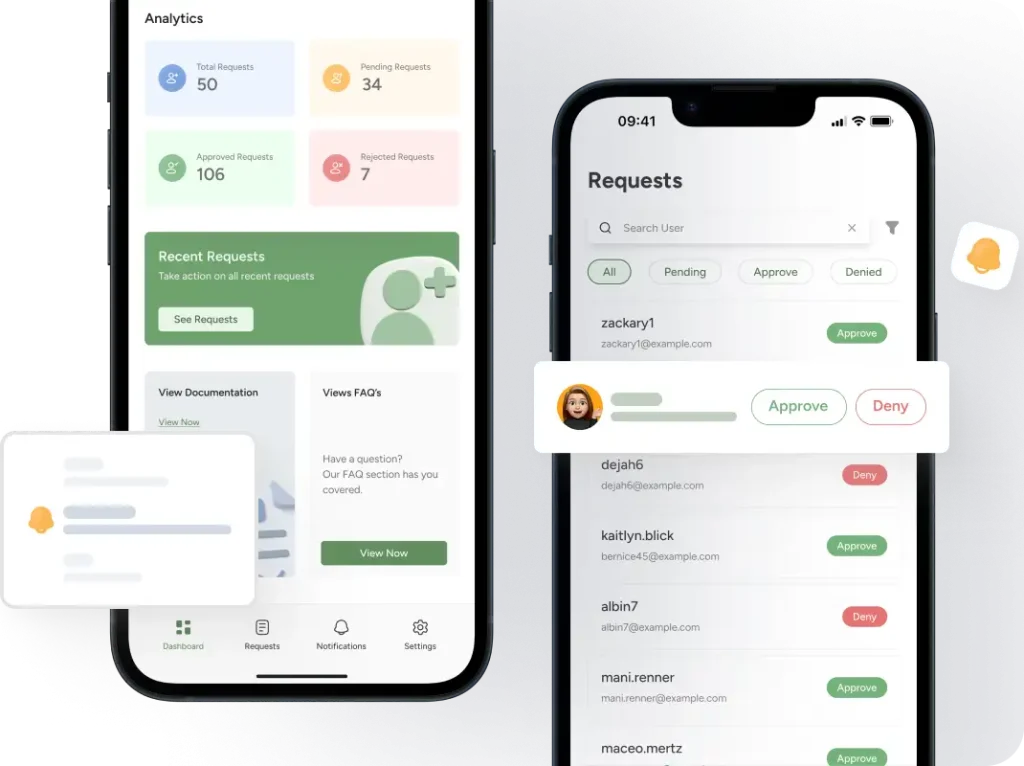
The app shows three tabs: Pending, Approved, and Denied.
One glance tells you everything:
- Number of users waiting for approval
- Number of users approved and active
- Number of spam accounts blocked
Need to focus? Use the time filters:
- Today: See only new signups from the last 24 hours
- Yesterday: Review what came in while you slept
- This Week: Check the weekly trend
- 30 Days: See the full month at once
No digging through WordPress admin panels on desktop. No clicking through 5 different pages. Everything you need on one screen.
Desktop vs. Mobile comparison:
| Action | Desktop Clicks | Mobile Taps |
|---|---|---|
| View pending users | 8 clicks | 1 tap |
| Approve a user | 5 clicks | 1 tap |
| Check user details | 6 clicks | 1 tap |
| Filter by time period | 7 clicks | 2 taps |
The mobile app removes 85% of the unnecessary steps.
Push Notifications That Save Hours [PRO]
Your phone buzzes. New registration request.
You’re at the grocery store. You tap the notification. User details appear. Looks legitimate.
You tap “Approve.” Done. Total time: 4 seconds.
The user gets their welcome email immediately. They log in. They start using your site. You prevented a 4-hour wait without interrupting your shopping.
PRO users get this power. Approve or deny directly from the notification. No need to open the app. No need to stop what you’re doing.
Standard response time with desktop: 4 hours. PRO response time with notifications: 4 minutes.
That’s 300% faster approval speed.
Complete Control, Zero Desktop Needed
The mobile app gives you everything the desktop does:
- Single-tap approve/deny: Every user request has two buttons. Approve or Deny. One tap makes the decision.
- Detailed user information: Tap any user to see their full profile. Email, registration date, and username. Everything you need to verify legitimacy.
- Search and filter: 500 pending users? Search by email or username. Find the exact person in 2 seconds.
- Bulk actions: Need to approve 20 legitimate users at once? Select all, tap approve. Need to deny 50 spam accounts? Select all, tap deny.
Trust Signals
- 4.8/5 average rating
- WordPress.org approved plugin
- 20,000+ active plugin installations
The app puts full WordPress user management in your pocket. Everything you do at your desk, you now do from your phone.
Faster. Simpler. Anywhere.
How to Set Up New User Approve Mobile App (4 Steps)
You don’t need technical skills. You don’t need an hour. You need 90 seconds.
Here’s the complete setup:
Step 1: Install New User Approve Plugin (if you don’t have it)
Go to your WordPress admin. Click Plugins > Add New. Search “New User Approve.”
Click Install. Click Activate.
Done.
The plugin has 20,000+ active installations. WordPress.org verifies and approves it.
If you already have the plugin installed, skip to Step 2.
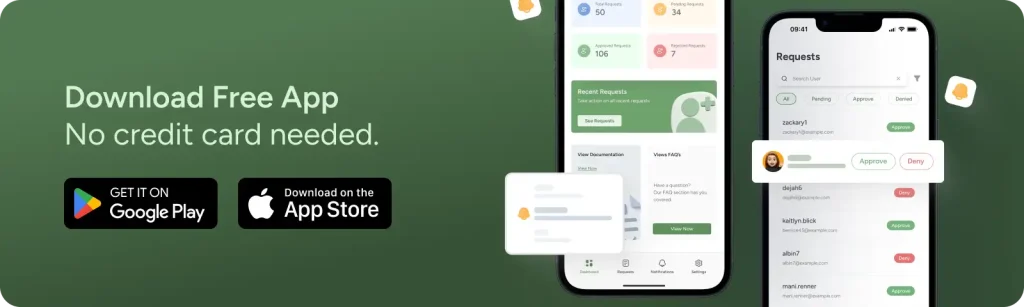
Step 2: Download the Mobile App
The app is free. No credit card required. No trial period that converts to paid. Actually free.
The download takes 30 seconds on average on WiFi.
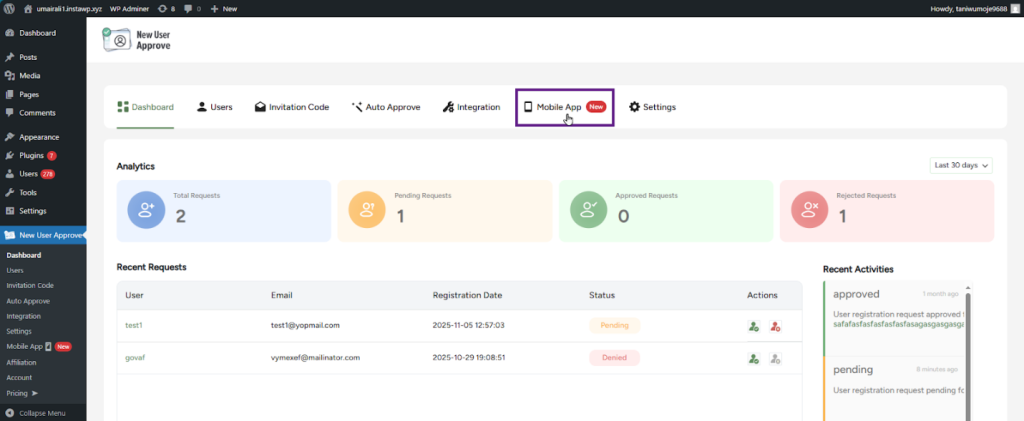
Step 3: Open Your Plugin Dashboard

Log into WordPress. Go to your left sidebar menu.
Click: New User Approve → Dashboard
Look at the top right corner. You’ll see a QR code icon.
Click it. A QR code appears.
Step 4: Scan and Connect
Open the mobile app you just downloaded.
Tap “Scan QR Code.”

Point your phone camera at the QR code on your screen.
The app scans it automatically. No manual entry. No typing long codes.
Connection happens instantly.
You’ll see your dashboard populate with your current users. Pending requests appear. Your site stats load.
You’re done. You can now manage users from your phone.
Time Breakdown:
| Step | Time Required |
|---|---|
| Plugin install (if needed) | 20 seconds |
| App download | 30 seconds |
| Navigate to dashboard | 10 seconds |
| Scan QR code | 10 seconds |
| Sync and connect | 10 seconds |
| Total | 80 seconds |
We said 90 seconds. Most people finish in 80.
First Approval After Setup:
Your phone is now connected. A pending user appears in your app.
You tap their name. Their details show up. Email looks legitimate. Registration date is today.
You tap “Approve.”
The app sends the command to WordPress. WordPress processes it. The user gets their approval email.
Total time for your first approval: 10 seconds.
You just approved a WordPress user while standing in your kitchen. Or sitting on your couch. Or waiting in line at the store.
Your site management is now mobile. Start managing user requests now.
To Get Complete Overview About The App
New User Approve Mobile App: Free vs. Premium Features
The app has two versions. Free and PRO.
Most site admins start with Free. Some upgrade to PRO when they need faster response or manage multiple sites.
Here’s what each version includes:
Feature Comparison
| Feature | Free | PRO |
|---|---|---|
| Dashboard access | ✓ | ✓ |
| View pending requests | ✓ | ✓ |
| Approve/deny from app | ✓ | ✓ |
| User details view | ✓ | ✓ |
| Time-based filters | ✓ | ✓ |
| Search users | ✓ | ✓ |
| Bulk actions | ✓ | ✓ |
| Push notifications (view) | ✓ | ✓ |
| Push notifications (approve/deny) | ✗ | ✓ |
| Multi-site management | ✗ | ✓ |
| Priority support | ✗ | ✓ |
| Custom notification settings | ✗ | ✓ |
Why WordPress Admins Should Use New User Approve Mobile App
Trust matters when you’re connecting an app to your WordPress site. You’re giving access to user data. You need to know it’s secure and reliable.
Here’s why admins should trust this app with their sites:
Security You Can Verify
No password storage: The app never asks for your WordPress password. Never stores it. Never transmit it.
You authenticate once with a QR code. That’s it. The connection uses secure tokens that expire and refresh automatically.
If you lose your phone, revoke access from your WordPress dashboard. One click disconnects the device. Your site stays protected.
Your data stays yours: The app doesn’t store user information on external servers. It reads directly from your WordPress database and displays it on your phone.
Nothing gets copied. Nothing gets shared with third parties. Your user data never leaves your control.
Plugin compatibility: The app works with the major WordPress plugins that include the following:
- WooCommerce (e-commerce)
- MemberPress (memberships)
- LearnDash (online courses)
- Ultimate Member (community)
- BuddyPress (social networks)
- WP-Foro (forums)
No conflicts. No broken functionality. It integrates cleanly with your existing setup.
Support That Responds
In-app documentation: Tap Settings > Documentation. Full user guide appears. No need to search external sites or open your laptop.
Step-by-step instructions for every feature. Searchable and always updated.
FAQ library: Common questions answered inside the app. “How do I disconnect a device?” “Can I manage multiple sites?” “What happens if I lose my phone?”
Tap Settings > FAQ. Get instant answers.
Direct support channel: Tap Settings > Contact Us. Send a message directly to the support team.
Free users: Response within 24-48 hours. PRO users: Response within 4 hours (business days).
What This Means for You
You’re not beta testing an experimental app. You’re using a mature plugin with 10 years of refinement.
Your data won’t disappear. Your connection won’t break randomly. Support will answer when you need help.
Thousands of admins already trust this app with sensitive user data. E-commerce sites. Healthcare portals. Financial communities. Educational platforms.
If they trust it, you can too.
Your Site Deserves Mobile Security. Download Now.
Every minute your WordPress site runs without mobile approval control is a minute of risk.
Spam gets in. Legitimate users wait. Security windows stay open. Revenue walks away.
You can fix all of this in 90 seconds.
What You Get With the New User Approve Mobile App
✓ Approve users in 10 seconds – Respond from anywhere, anytime
✓ Block spam before it spreads – Catch suspicious accounts immediately
✓ Never miss a legitimate signup – Push notifications alert you instantly
✓ Manage from anywhere – No desk required, no laptop needed
Download Options
For iPhone and iPad:
Free download. iOS 13.0 or later. Works on iPhone, iPad, and iPod touch.
For Android:
Free download. Android 6.0 or later. Works on phones and tablets.
Still Not Sure?
Last Word
WordPress user approval management has evolved. User management from mobile is becoming mainstream. Thus, your potential members expect an instant response. Your site’s security needs 24/7 oversight.
The tool exists. It’s free. It works.
What’s stopping you?
No credit card. No commitment. Just better WordPress management. Act now!